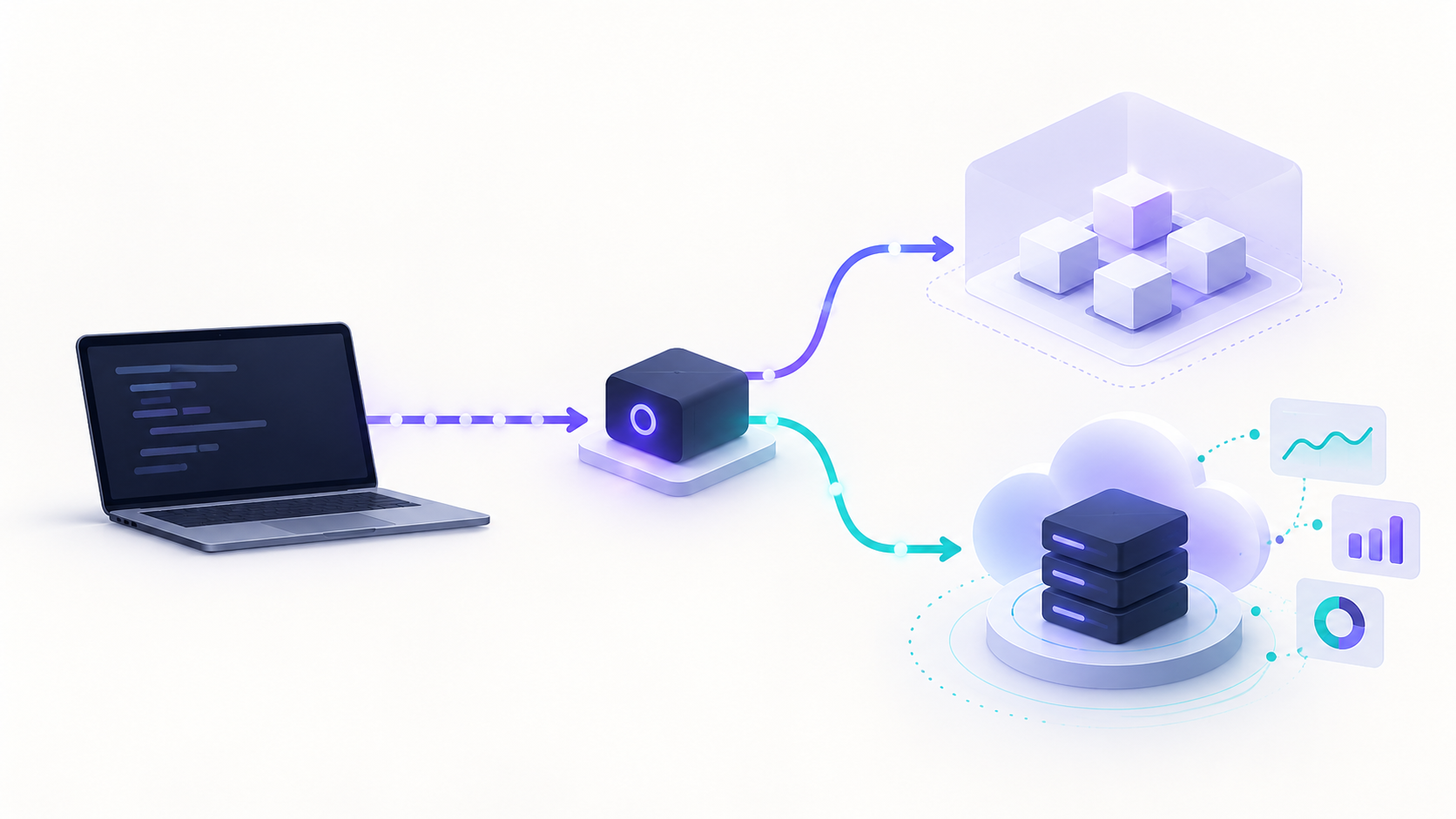
CLIProxyAPI can be useful when you need to test whether an existing OpenAI-, Gemini-, Claude-, Codex-, or Grok-compatible client works against a locally controlled compatibility layer. It is not a model provider, a production billing system, or permission to turn a personal AI subscription into a general-purpose API.
This guide explains where a CLI proxy API fits, what “free” actually means, how to run a safe compatibility check, and what has to change before a customer-facing workload goes live.
What a CLI proxy API is—and is not
A CLI proxy API is a service that presents familiar AI API shapes to a client while translating or routing requests behind the endpoint. CLIProxyAPI describes itself as a proxy server with OpenAI, Gemini, Claude, Codex, and Grok-compatible interfaces for command-line clients and SDKs. That makes it a compatibility layer: your SDK can keep a familiar request shape while the service handles the protocol boundary.
That distinction matters. A CLI proxy API can help with a local integration experiment, but it does not itself create model access, own the upstream service-level agreement, reconcile charges, or decide whether a particular account credential may be used for an application workload. Those responsibilities remain with the authorized provider relationship and your deployment design.
Use this quick rule:
| If you need to… | Start with… | Why |
|---|---|---|
| Check whether an existing SDK can call a compatible local endpoint | A local CLIProxyAPI sandbox | It isolates protocol and client-configuration questions. |
| Build a production feature on one provider | The provider’s authorized API account | You retain the provider’s native contract, billing, and support path. |
| Run a production app across multiple approved models | A managed API gateway | You need service-owned credentials, centralized routing, usage review, and a documented operational boundary. |
| Reuse a consumer subscription for unrelated users or a shared backend | Neither | Subscription credentials are not a substitute for an authorized application API. |
How does CLIProxyAPI access work?
CLIProxyAPI’s current project documentation covers local configuration, API keys, TLS settings, and a management surface. Its basic configuration reference says host controls the interface it binds to and explicitly recommends 127.0.0.1 or localhost when you want to restrict access to the local machine. It also documents a separate management key and the ability to disable the management API. Read the configuration reference before exposing any endpoint.
For a CLI proxy API evaluation, use a deliberately narrow environment:
- Use a disposable test project and credentials that your organization is authorized to use for API testing.
- Bind the process to loopback only; do not publish a developer proxy directly to the internet.
- Give the client a scoped local compatibility key, rather than storing upstream credentials in the client application.
- Test one approved model, one request shape, streaming behavior if you use it, tool-call behavior if you use it, and a known failure response.
- Remove temporary credentials and test data after the experiment.
The project’s Codex client guide demonstrates a local compatibility endpoint and a locally configured API key. Treat that as an integration reference for a controlled workstation test—not as a design for a shared SaaS endpoint. CLIProxyAPI’s Codex guide is the right place to confirm current client-specific settings.
The authorization boundary is not optional
“It works locally” and “it is authorized for production” are different statements. OpenAI’s current Sign in with ChatGPT terms say that plan usage must stay connected to the application the user authorized; they prohibit general-purpose API access for unrelated tools, account pooling, account rotation, shared plan usage, and bypassing usage limits. Review the terms before selecting an authentication model.
The same principle applies across providers: use provider-issued API access for an application, and confirm the applicable terms and billing model. For example, Anthropic directs organizations building with its API to the Claude Console for API keys, team administration, billing, and experimentation. Anthropic’s API access guidance is a useful baseline.
Do not design a CLI proxy API around personal-account passwords, browser cookies, session tokens, account rotation, or one user’s subscription serving another user’s traffic. Those patterns create avoidable security, availability, and terms-of-use risk.
Is CLIProxyAPI free? A pricing checklist
CLIProxyAPI is distributed under the MIT license; Homebrew’s current formula also identifies the package as MIT-licensed. See the package record. That answers the software-license question, not the total cost question.
For a CLI proxy API, price the whole operating path:
| Cost layer | What to verify | Why it changes the decision |
|---|---|---|
| Proxy software | License, release cadence, and maintenance ownership | Open source can reduce license cost while increasing your operational ownership. |
| Authorized model access | Provider API pricing, account type, and permitted workload | Consumer-plan access and application API access are different commercial models. |
| Infrastructure | Host, TLS termination, logs, storage, backups, and egress | A local test has little overhead; a customer-facing service does not. |
| Reliability | Retries, fallbacks, queueing, and incident handling | A failed request has product cost beyond the token charge. |
| Governance | Per-service credentials, audit trail, budgets, and revocation | These controls are usually required before more than one engineer depends on the route. |
If you need a managed option, review the live terms rather than copying a price from an old comparison. Flatkey’s current pricing page describes one-time credit top-ups and says credits do not expire; its model directory is the place to check live model availability, endpoint support, and model-specific pricing. Flatkey pricing and the model directory should be reviewed together before a production decision.
A safe CLI proxy API integration test
Before you point an SDK at a CLI proxy API, decide what you are proving. A useful first test proves only this: “Can our client authenticate to an approved local endpoint, discover an approved model, and receive a response in the format our code expects?” It does not prove production reliability or commercial authorization.
Keep connection settings outside source control:
export COMPATIBILITY_BASE_URL='http://127.0.0.1:8317/v1'
export COMPATIBILITY_API_KEY='set-this-in-your-secret-store'

curl --fail --silent --show-error \
  "$COMPATIBILITY_BASE_URL/models" \
  -H "Authorization: Bearer $COMPATIBILITY_API_KEY"
Then run a low-risk SDK check with a service-issued test credential. Replace the model placeholder with one your team has explicitly approved for the test environment.
import os
from openai import OpenAI

client = OpenAI(
    base_url=os.environ["COMPATIBILITY_BASE_URL"],
    api_key=os.environ["COMPATIBILITY_API_KEY"],
)

# Keep the first check non-sensitive and observable.
models = client.models.list()
print([model.id for model in models.data])
Record four results before you call the test complete:
- Authentication outcome and HTTP status.
- Model identifier returned by the endpoint.
- Request and response schema compatibility, including streaming or tools where relevant.
- Latency and failure behavior from a small, repeatable test set.
If you use the proxy beyond one workstation, add a separate service identity at the boundary. A client-side static key should not become your only control for tenant identity, budget enforcement, or access revocation.
When a local proxy stops being enough
A local CLI proxy API is often the right tool for a developer compatibility test. It is usually the wrong boundary for a production application once traffic becomes shared, customer data is involved, or a team needs to answer “which model served this request, for whom, under which policy, and at what cost?”
Move to a production boundary when any of these become true:
- Your application sends requests for more than one end user.
- Credentials need ownership beyond one developer laptop.
- You need model allowlists, budgets, request IDs, or customer-level usage attribution.
- You need a documented fallback policy rather than ad hoc retries.
- You need change control, deployment rollback, monitoring, and an incident owner.
- You need an approved path for data handling, contract terms, and provider access.
Flatkey’s documentation describes a different operating model: one API boundary with official request shapes, an OpenAI-compatible router, Anthropic-native workflows, tool integrations, governance, and billing. Its docs also say existing SDKs can be pointed at the router while preserving standard request formats. That makes a managed gateway a better fit when you need a service-owned production boundary rather than a workstation-level compatibility layer.
For the architecture behind that decision, see our guide to an AI API gateway and the practical explanation of what LLM routing is. For a minimal existing-SDK migration, use the OpenAI-compatible API gateway checklist.
Production checklist for a CLI proxy API decision
Do not ship because a demo succeeds. Ship only after you can answer every row below.
| Production question | Evidence to collect | Owner |
|---|---|---|
| Is this access authorized for this application and these users? | Provider terms, account type, and written internal approval | Product and legal/operations owner |
| Where do credentials live? | Secret-store policy, least-privilege access, rotation and revocation runbook | Security owner |
| Is the endpoint private and authenticated? | Network diagram, TLS policy, loopback/private ingress rule, and access test | Platform owner |
| Can we explain a failed request? | Request ID, model ID, status class, latency, and safe error logs | Engineering owner |
| What happens when a model is unavailable? | Bounded retry and fallback policy, plus a test that proves it | Application owner |
| Can we control spend? | Service/team budget, model allowlist, and usage-review cadence | Product/finance owner |
| Can we roll back? | Versioned configuration, canary plan, and owner for the kill switch | Release owner |
| Can users’ data be handled appropriately? | Data classification, retention decision, and approved provider route | Privacy/security owner |
This is also where a CLI proxy API and an API gateway differ most. A proxy focuses on request compatibility; a production gateway adds the operating controls that make a multi-model API dependable for a team. Read the Flatkey API quickstart if you want to validate one managed API call, then use the secure API key management guide before you distribute credentials.
A three-stage rollout that avoids accidental production use
Stage 1: local compatibility sandbox
Use a loopback-bound CLI proxy API, approved test credentials, fixture prompts, and no customer data. Validate client configuration and schema behavior. There should be no public URL, shared account pool, or background job in this stage.
Stage 2: controlled integration canary
Run a small internal workload through a service-owned, authorized API path. Compare output quality, latency, error categories, and cost reporting against your current route. Decide in advance what fails the canary and who can stop it.
Stage 3: production routing policy
Make model selection, access control, budgets, observability, and fallback behavior explicit. A production implementation should be able to reject an unapproved model, identify the request owner, and stop sending traffic when a policy check fails.
if environment == "production":
    require service-owned, authorized credentials
    enforce a model allowlist and request budget
    record request ID, model ID, duration, and outcome
    use only a tested, bounded fallback policy
else:
    allow a loopback-only compatibility test with approved test credentials
That division protects the useful part of the CLI proxy API workflow—fast client experimentation—without quietly turning a developer tool into ungoverned infrastructure.
Frequently asked questions
Is CLIProxyAPI the same as an AI model provider?
No. CLIProxyAPI is a compatibility proxy. It may present multiple API interfaces to a client, but model access, authorization, billing, and provider obligations remain separate concerns. Confirm each upstream route before you use it.
Can I use a CLI proxy API in production?
Technically running a process is not the production decision. Use a CLI proxy API in production only after you have verified authorized access, secret handling, network isolation, observability, incident ownership, and a clear support model. If you need one service boundary across approved models, a managed gateway is generally easier to operate.
Does “free” mean my AI workload is free?
No. The CLIProxyAPI software license can be free while model access, infrastructure, monitoring, and staff time still cost money. A consumer subscription also does not automatically grant the right to run a general-purpose application API.
What should I use for a multi-model production app?
Start with the fewest moving parts that meet your contract and reliability requirements. Direct provider APIs can be right for one stable model path. When you need a consistent SDK boundary, approved multi-model access, and centralized operational controls, evaluate a managed gateway such as Flatkey. You can compare models and start from the Flatkey documentation.
The practical answer
A CLI proxy API is valuable when it reduces friction in a controlled compatibility test. It is not a shortcut around provider authorization, usage limits, or production operations. Keep it local for developer experiments, use authorized API access for applications, and promote traffic to a managed gateway only when you need a durable, observable multi-model boundary.
If your next step is production integration rather than a local experiment, start with Flatkey’s API documentation, run one existing SDK through an approved model route, and measure the result before migrating more traffic.