Image Generation API: A Practical Guide for Teams
An image generation API is easy to test in a demo and surprisingly easy to mishandle in production. A team can send one prompt, get one attractive image back, and still have no answer for the questions that matter later: which model should own which workload, what happens when a request is blocked, how do you estimate cost before launch, and how do product, design, and engineering review outputs without turning every image into a manual exception?
This guide is for teams evaluating an image generation API for product screens, ads, ecommerce creative, agent workflows, or internal content operations. It gives you a practical workflow you can use before you commit to one provider, one model, or one integration style.
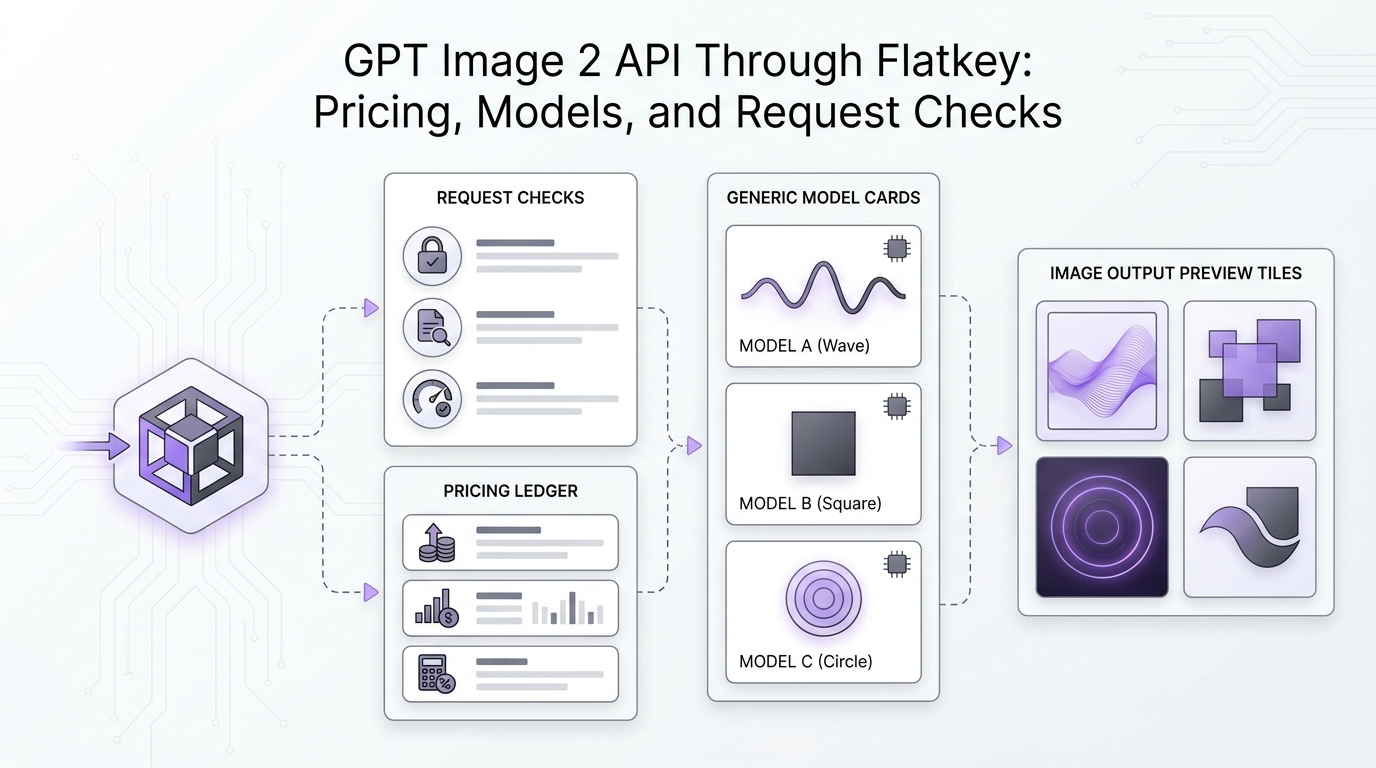
Flatkey fits this workflow when your team wants one API key, one shared balance, one usage ledger, and one router for text, image, video, and tool calls. You can still choose the model that fits the task. The operational difference is that your team reviews spend, latency, and usage in one place instead of chasing separate provider accounts.
The Quick Answer
Choose an image generation API by matching the workload to the review loop:
| Workload | What matters most | API pattern to prefer | What to measure |
|---|---|---|---|
| One-off creative generation | Fast prompt-to-image output | Direct generation endpoint | Accepted-image cost, latency, retry rate |
| Product or ecommerce image edits | Reference fidelity and controlled changes | Image edit endpoint or multimodal image route | Edit success rate, prompt adherence, rejection rate |
| Conversational image iteration | Multi-turn context and revision history | Agent or responses-style workflow | Iterations per accepted asset, time to approval |
| High-volume campaign variants | Queueing, cost control, and predictable output format | Batch or async job pattern | Cost per approved variant, queue time, failure class |
| Internal design assistance | Governance, access control, and usage traceability | Gateway with sub-keys and logs | Spend by team, model, project, and environment |
The mistake is to pick the image generation API with the best-looking sample gallery. The better decision is to define the workflow, choose the API surface, set the review metrics, and only then test models.
What An Image Generation API Actually Has To Do
For a production team, an image generation API is not just "prompt in, image out." It has to support a repeatable operating loop:
- Accept structured creative input from a user, workflow, or agent.
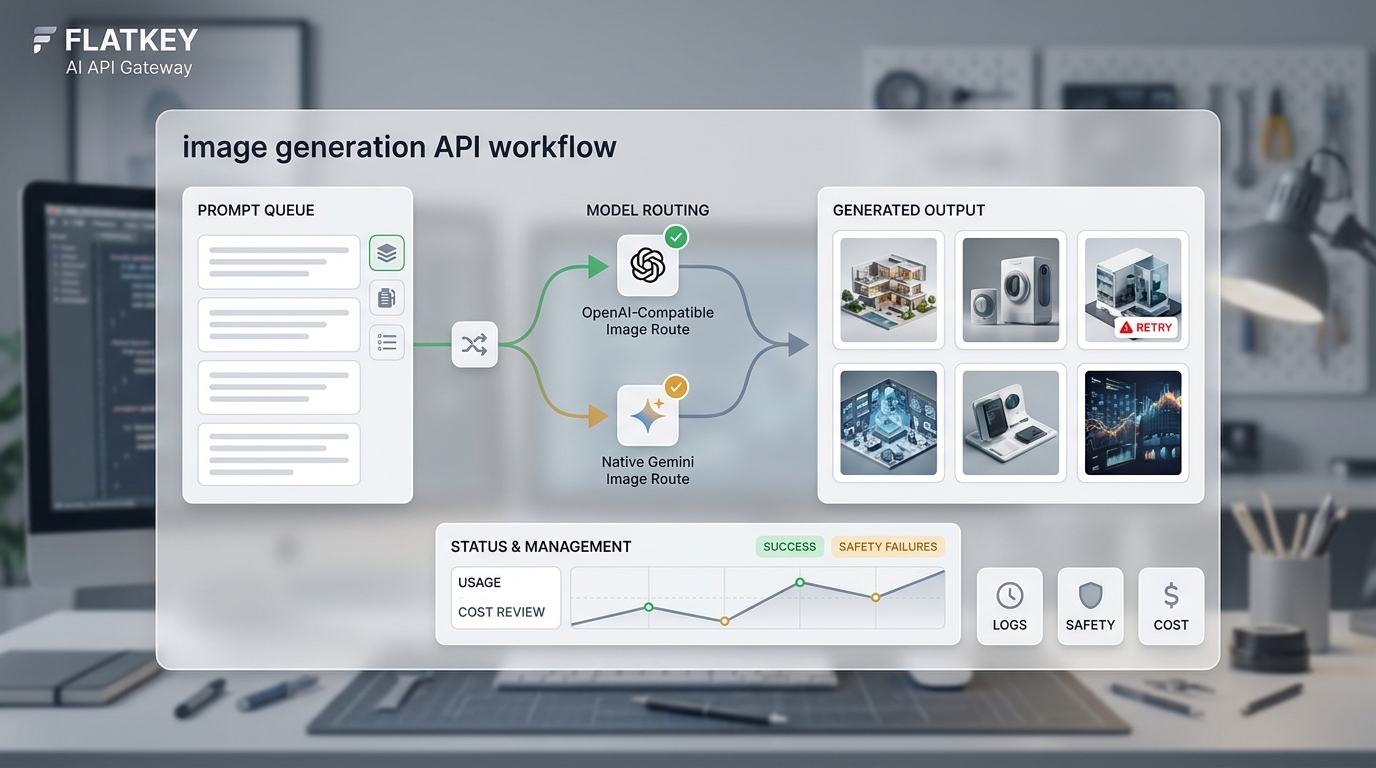
- Route the request to the right image model or provider.
- Return images in the required aspect ratio, file type, quality level, and resolution.
- Handle blocked prompts, malformed inputs, provider errors, and timeouts.
- Preserve enough request context for review, debugging, and cost reporting.
- Let the team compare models without rewriting the application every time.
That is why teams should evaluate the image generation API as infrastructure, not as a novelty feature. A production integration has to survive prompt revisions, brand rules, moderation behavior, and finance questions.
Start With The Use Case, Not The Model
Before you compare models, write down the exact kind of image your workflow needs to create. A vague goal like "generate marketing images" is not enough. A useful use case has inputs, constraints, review criteria, and a fallback path.
Use this template:
| Field | Example |
|---|---|
| Workflow owner | Growth, ecommerce, product, support, design ops |
| Input source | Human prompt, product catalog, CMS row, ticket, agent task |
| Output type | Hero image, product scene, ad variant, thumbnail, diagram, social post |
| Required dimensions | 1:1, 4:5, 16:9, 9:16, or exact pixel constraints |
| Reference inputs | Product photo, brand guide, previous approved image, screenshot |
| Success criteria | No obvious artifacts, matches brand rules, preserves product shape, readable required text |
| Reject criteria | Wrong product details, unsafe output, unreadable text, distorted faces or hands, wrong aspect ratio |
| Review owner | Designer, product marketer, merchandiser, editor, QA operator |
| Launch constraint | Max cost per accepted asset, latency target, approval SLA, legal review requirement |
This exercise prevents the common failure mode where a team chooses an impressive model, then discovers it cannot reliably handle the actual review loop.
Pick The Right API Surface
Most teams need more than one image generation API pattern. OpenAI's current image generation documentation separates image generation between the Image API for direct generation and edits, and the Responses API for image generation inside conversational or multi-step flows. Google's Gemini image generation documentation describes Nano Banana as Gemini's native image generation capability, with conversational generation and editing across text, image, video, and mixed inputs.
That distinction matters. If your product only needs a single generated image from a prompt, a direct image endpoint is simpler. If your workflow needs iterative edits, uploaded references, or an agent that revises a visual over several turns, a conversational or multimodal workflow can be a better fit.
Use this decision table:
| Requirement | Better fit |
|---|---|
| Generate one image from one prompt | Direct image generation endpoint |
| Edit an existing image with a prompt | Image edit endpoint or multimodal image model |
| Use multiple reference images | Multimodal image route with explicit reference support |
| Let users iterate in a chat-like flow | Responses-style or conversation-style workflow |
| Generate many variants from rows or jobs | Batch, async, or queued workflow |
| Switch between providers during evaluation | Gateway route with stable app-side contract |
| Let finance audit image spend | Gateway or platform with per-request usage logs |
The best image generation API for your team may be a combination: direct endpoints for simple work, multimodal routes for edits, and a gateway layer for model switching, usage review, and team controls.
A Production Workflow For Teams
Here is the practical operating workflow I recommend before launch.
1. Define Three Golden Prompts
Pick three prompts that represent real work:
- Easy prompt: something the system should complete quickly and cheaply.
- Brand prompt: a realistic prompt with tone, style, product, or layout constraints.
- Hard prompt: a prompt with references, text rendering, strict aspect ratio, or a multi-step instruction.
Do not optimize against one beautiful demo prompt. A useful image generation API test set should reveal when the model is fast, when it is faithful, and when it needs human review.
2. Freeze Output Requirements
Write the output contract before you wire the API:
- Aspect ratio or exact dimensions.
- File format.
- Quality tier.
- Background requirements.
- Whether transparency is allowed.
- Whether the output may contain readable text.
- Whether the request can include reference images.
- Maximum acceptable latency.
- Maximum cost per accepted image.
This output contract becomes your regression test when you try new models.
3. Separate Prompt Failures From System Failures
An image generation API can fail because the request is technically invalid, the provider is unavailable, the account is rate-limited, the prompt is blocked, or the generated image fails your own review standard. Treat these as different failure classes.
| Failure class | Example | Retry? | Owner |
|---|---|---|---|
| Invalid request | Unsupported size, missing file, bad payload | No, fix payload | Engineering |
| Provider or network error | Timeout, 5xx, transient service issue | Yes, with backoff | Engineering |
| Quota or rate limit | Provider limit or account cap | Maybe, after queueing | Engineering or ops |
| Safety block | Prompt or output rejected | No blind retry; revise prompt | Product or policy owner |
| Review failure | Off-brand, wrong object, poor text | Generate revised prompt or route | Creative owner |
This classification matters because blind retries can waste budget. OpenAI's image documentation, for example, recommends handling image generation failures like other API errors, logging request IDs, and retrying transient failures rather than user-correctable prompt errors. For deeper measurement, pair this workflow with image generation API metrics.
4. Add A Human Review Queue Early
Even if your long-term goal is automation, start with a review queue. Store the prompt, model, output image, failure class, request ID if available, cost, latency, reviewer decision, and rejection reason.
For the first 100 to 300 real outputs, your goal is not full automation. Your goal is to learn which prompts, models, sizes, and review criteria correlate with accepted images.
5. Decide When To Route Or Escalate
Not every image should use the same model. Your route policy can be simple:
- Use the fastest low-cost model for drafts and internal thumbnails.
- Use a stronger model for final brand assets, complex product scenes, or images with text.
- Use an edit-capable model when the user provides a reference image.
- Use a model with stronger grounding or multimodal support when the request depends on external context.
- Escalate to human review when the asset is customer-facing, regulated, brand-sensitive, or expensive to rerun.
Flatkey is useful here because the application can keep a stable integration surface while the team changes image models and reviews usage from one ledger.
Example: Calling An OpenAI-Compatible Image Route Through Flatkey
Flatkey's API quickstart supports pointing the OpenAI SDK at https://router.flatkey.ai/v1 with your FLATKEY_API_KEY. For direct image generation routes exposed through an OpenAI-compatible surface, keep the application contract small and log the result.
import OpenAI from "openai";
import fs from "node:fs";

const client = new OpenAI({
  apiKey: process.env.FLATKEY_API_KEY,
  baseURL: "https://router.flatkey.ai/v1",
});

const result = await client.images.generate({
  model: "gpt-image-2",
  prompt: [
    "Create a 16:9 hero image for a B2B SaaS launch.",
    "Style: clean technical editorial.",
    "Avoid tiny unreadable UI text.",
    "Leave safe negative space for a headline."
  ].join(" "),
  size: "1536x864",
});

const imageBase64 = result.data[0].b64_json;
fs.writeFileSync("hero.png", Buffer.from(imageBase64, "base64"));
Before you ship this, add production controls:
- Validate the requested size and format before calling the image generation API.
- Store the prompt version, model, route, request ID, latency, and cost.
- Add a manual rejection reason field.
- Treat blocked prompts differently from transient errors.
- Send final assets through the same asset pipeline as human-created images.
Example: Using A Native Gemini Image Route
Some image workflows are better handled through a native multimodal route. Google's Gemini documentation describes gemini-3.1-flash-image and related Nano Banana models for image generation and editing, including text-and-image-to-image workflows. For ecommerce-specific creative operations, see the related guide to AI image generation API for ecommerce creative pipelines.
The exact payload depends on your gateway and model route, but the operating idea is consistent:
{
  "model": "gemini-3.1-flash-image",
  "input": [
    {
      "type": "text",
      "text": "Create a square product scene for a matte black ceramic mug on a concrete desk. Preserve the mug shape and leave clean space at top left."
    },
    {
      "type": "image",
      "mime_type": "image/png",
      "data": "<BASE64_REFERENCE_IMAGE>"
    }
  ],
  "response_format": {
    "type": "image",
    "image_size": "1K"
  }
}
Use this style when the image generation API has to understand a reference image, preserve an object, or revise an existing visual. The key review metric is not "did it look cool?" The metric is whether the model made the requested change while preserving the details that should not change.
What To Measure In The First Month
If you only track total spend and total images, you will miss the real operating cost. Track accepted output instead.
| Metric | Why it matters |
|---|---|
| Accepted-image cost | Reveals the actual cost after rejects, retries, and edits |
| Prompt adherence | Shows whether the model follows required constraints |
| Edit success rate | Measures reference-image and revision workflows |
| Latency by route | Helps separate draft workflows from final-asset workflows |
| Safety rejection rate | Shows where prompts need policy or UX changes |
| Retry rate by failure class | Prevents wasteful retry behavior |
| Manual review time | Measures the real human cost of the workflow |
| Cost by team and project | Keeps finance review connected to usage ownership |
Flatkey's usage logs are especially useful for this stage because the same team can review model, token counts, latency, and cost after requests. For image generation API work, add your own accepted/rejected decision data next to those infrastructure logs. If your team is standardizing more than image routes, the unified AI API guide shows how to keep the broader base URL and SDK migration clean.
Cost Planning Without Guesswork
Image generation pricing can vary by model, quality level, resolution, output format, and whether a request includes image inputs. Do not compare APIs only by the lowest advertised per-image price.
Use this launch estimate:
monthly accepted assets
× average generations per accepted asset
× average provider or gateway cost per generation
+ edit/reference-image overhead
+ storage and CDN cost
+ review labor cost
= estimated monthly image workflow cost
For example, a workflow that needs 1,000 accepted images per month and averages 2.4 generations per accepted image is really a 2,400-generation workload before edits, storage, and review time. That is the number your image generation API evaluation should optimize.
Flatkey's live model directory is the right place to check current available image models and per-image prices before a launch estimate. Use the pricing page and model directory at decision time rather than copying a static number into a planning document.
Security And Governance Checklist
Teams often test an image generation API with a single shared key. That is fine for a spike, but it is weak for production. Before launch, put these controls in place:
- Use separate keys or sub-keys for development, staging, production, and agents.
- Set budget caps for experiments and non-production workflows.
- Limit which models each environment can call.
- Log prompt metadata without storing sensitive customer data unnecessarily.
- Keep uploaded reference images within your data retention policy.
- Store generated assets in your normal asset system, not only in API responses.
- Review licensing, brand, privacy, and moderation requirements for customer-facing images.
- Add a kill switch for high-volume jobs.
If your team already uses Flatkey for text, video, or tool calls, image generation can share the same governance pattern: one balance, model allowlists, usage logs, and finance-visible request history.
Internal Evaluation Scorecard
Use a scorecard instead of a long debate over subjective quality.
| Criterion | Weight | Scoring question |
|---|---|---|
| Prompt adherence | 25% | Did the image follow the required objects, layout, style, and exclusions? |
| Reference fidelity | 20% | Did it preserve product, character, brand, or screenshot details when provided? |
| Review speed | 15% | How quickly can a human approve or reject the output? |
| Cost per accepted image | 15% | What is the actual cost after rejects and retries? |
| Latency reliability | 10% | Does the route stay predictable under normal workload volume? |
| Integration simplicity | 10% | Can the team switch models without rewriting app logic? |
| Governance fit | 5% | Can usage, budgets, and keys be audited by owner? |
Run the scorecard across at least two model routes and three prompt classes. The winner should be the route that produces approved assets reliably, not the one with the most impressive isolated sample.
When A Gateway Helps
A direct provider integration is enough when one team uses one image model for one stable workflow. A gateway starts to matter when the image generation API becomes part of a broader operating system:
- Product wants one model for in-app generation and growth wants another for ads.
- An agent needs image, text, browser, and enrichment tools from the same balance.
- Finance wants one invoice and request-level usage visibility.
- Engineering wants to evaluate new models without replacing SDK code.
- Operations needs budgets, model allowlists, and ownership by key.
- Reliability matters because creative jobs are tied to launch dates.
Flatkey is built for that multi-model, multi-tool operating layer. The practical benefit is not that every image request should be routed automatically. The benefit is that your team can make model choice an operational policy instead of a hardcoded dependency.
Implementation Checklist
Before you choose or ship an image generation API, make sure each item has an owner:
- Three golden prompts representing easy, brand-sensitive, and hard workflows.
- Output contract for size, format, quality, background, and reference inputs.
- Model shortlist for draft, final, edit, and high-context image tasks.
- Error taxonomy for invalid request, transient provider issue, quota/rate limit, safety block, and review failure.
- Retry policy that avoids blind retries for prompt or policy errors.
- Review queue with prompt, model, output, decision, reason, latency, and cost.
- Cost estimate based on accepted assets, not raw generation count.
- Key strategy for environments, teams, and agents.
- Usage-log review cadence for the first 30 days.
- Internal owner for prompt templates and brand rules.
Frequently Asked Questions
What is an image generation API?
An image generation API is a programmatic interface that lets an application generate or edit images from text prompts, image inputs, or a combination of both. In production, the API also needs error handling, cost tracking, safety behavior, review metadata, and asset storage.
What is the best image generation API for teams?
The best image generation API depends on the workflow. Direct image endpoints are usually simplest for one-prompt generation. Multimodal or conversational routes are better for image edits, reference images, and iterative workflows. A gateway helps when the team needs multiple models, one ledger, shared governance, and easier model switching.
How should teams compare image generation API tools?
Compare tools by accepted-image cost, prompt adherence, edit success rate, latency, safety rejection rate, retry behavior, governance controls, and integration effort. Do not compare only by sample gallery quality or headline per-image price.
Does an OpenAI-compatible API work for image generation?
It can, when the gateway or provider exposes the image model through an OpenAI-compatible image route. For more complex multimodal image workflows, a native provider route may expose capabilities that a generic compatibility layer does not fully cover. Test both the endpoint contract and the model behavior before launch.
How does Flatkey help with image generation API operations?
Flatkey gives teams one key, one shared balance, a model directory, OpenAI-compatible routing where supported, and usage logs for review. That makes it easier to evaluate image models, control spend, and connect image generation API usage to the same operating layer as text, video, and agent tool calls.
Next Step
If you are evaluating an image generation API, start with the workflow template and scorecard above. Then run your three golden prompts through the models you are considering and compare accepted-image cost, latency, review time, and failure class.
With Flatkey, you can test image models through one account, review usage in one place, and keep your application code focused on the workflow instead of provider sprawl.