
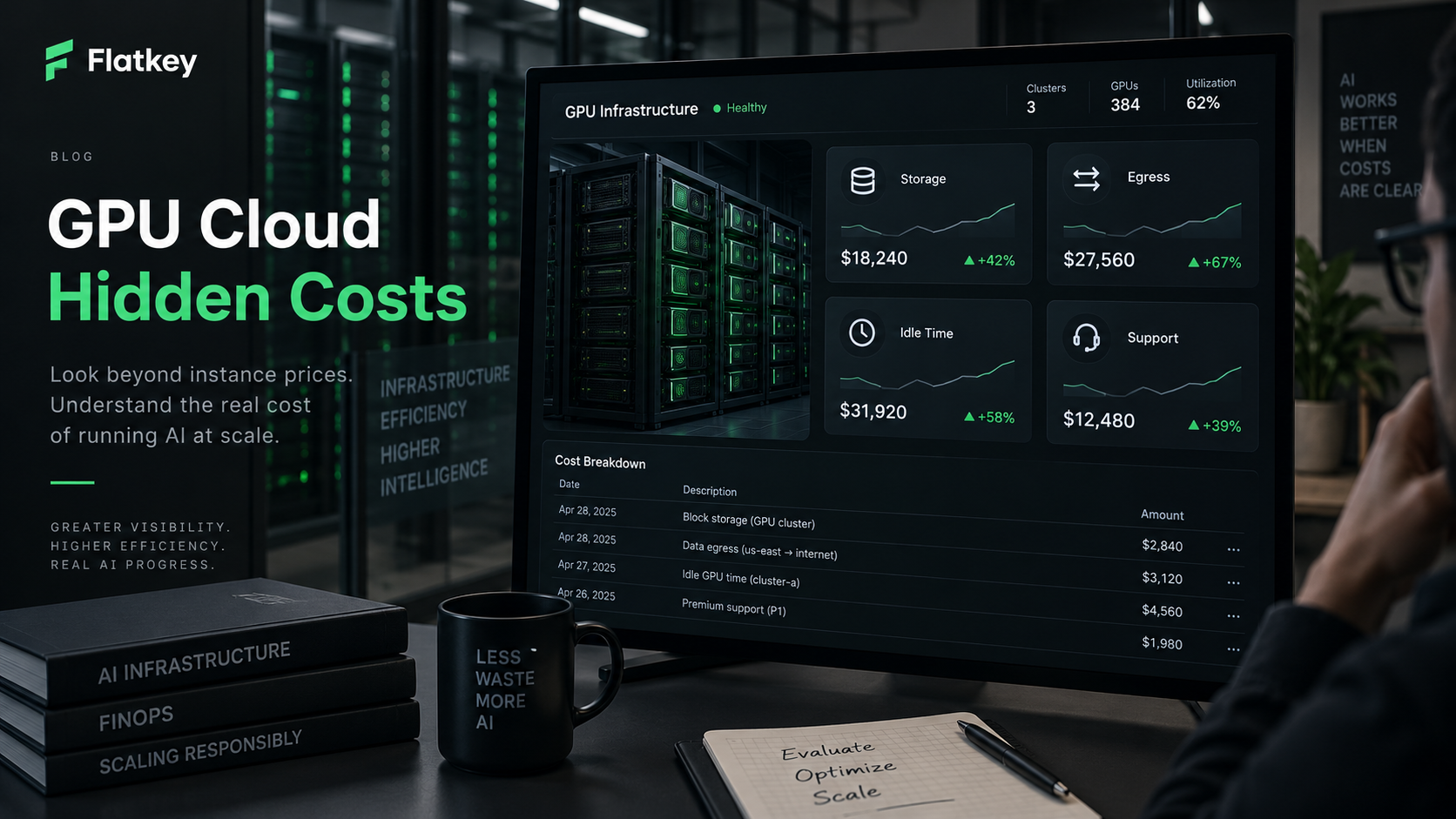
What are the hidden costs of cloud GPU services? The short answer is that the GPU hourly rate is only the starting line. The real bill also includes storage, snapshots, bandwidth egress, idle notebooks or pods, cold starts, failed jobs, support plans, private networking, monitoring, and the engineering work required to keep GPU capacity useful.
For enterprise AI teams, GPU cloud hidden costs usually appear after the first successful benchmark. The team sees a reasonable H100, H200, A100, L40S, or RTX hourly price, starts moving models and data, and then discovers that the invoice is shaped by everything around the accelerator. A cheaper GPU can lose if it sits idle, reloads model weights repeatedly, moves terabytes across regions, or needs a support tier that was missing from the original quote.
This guide gives platform engineering, FinOps, procurement, and AI product teams a practical way to audit cloud GPU cost before signing a rental, reserved-capacity, or dedicated-cluster agreement.
The useful rule is simple:
real cloud GPU cost =
  GPU compute
  + storage
  + egress and networking
  + idle time
  + restart and failure waste
  + support
  + operations overhead
If you compare providers only by the GPU line item, you are not comparing the cost of a working AI system.
GPU cloud hidden costs: the quick answer
Start every GPU cloud hidden costs review with this table.
| Hidden cost | How it shows up | Control to require |
|---|---|---|
| Storage | Persistent volumes, block disks, object storage, snapshots, model caches, datasets, checkpoints | Separate temporary and durable data; tag volumes; expire unused snapshots; keep model weights near GPUs. |
| Egress | Internet transfer, cross-region movement, public IP traffic, data leaving object storage, result downloads | Keep data, GPUs, and storage in the same region; budget outbound transfer; avoid repeated artifact downloads. |
| Idle time | Running pods, notebooks, endpoints, or reserved nodes with no useful GPU work | Auto-stop idle resources; schedule jobs through queues; alert on low GPU utilization and long-running experiments. |
| Cold starts | Pulling containers, loading model weights, warming kernels, mounting volumes before useful work starts | Prebuild images; cache weights; measure startup time as billable time. |
| Failed jobs | Out-of-memory failures, driver mismatches, preemptions, bad hosts, broken deployments | Run canaries; checkpoint; use idempotent job IDs; track failure cost as a budget line. |
| Support | Paid support tiers, managed-service fees, private cluster support, SLA coverage, migration help | Ask which support terms are included in the quote and which are separate monthly costs. |
| Networking | Load balancers, NAT, private links, public IPs, cross-zone traffic, InfiniBand or RoCE premiums | Match network fabric to the workload instead of accepting a generic GPU-hour quote. |
| Operations | Monitoring, logs, scheduler work, security patches, cluster incidents, finance reconciliation | Count platform-engineering hours in the same TCO model as the provider invoice. |
For a first-pass buyer review, ask one question: what are the hidden costs of cloud GPU services after the GPU is already running? The answer is rarely one surprise fee. It is usually a set of ordinary cloud components that become expensive because AI workloads move large artifacts and waste expensive accelerator time when orchestration is weak.
Why the listed GPU hour is incomplete
A cloud GPU hour is a capacity unit. It is not a completed training run, accepted inference response, generated video, or successful evaluation batch.
That distinction matters because GPU workloads often have high surrounding cost:
- Model weights can be tens or hundreds of gigabytes.
- Fine-tuning datasets and checkpoints can persist long after the job ends.
- Inference endpoints may need warm capacity for latency even when request volume is uneven.
- Multi-node training can fail if one worker, network link, or storage mount misbehaves.
- Marketplace or spot capacity may be cheaper but needs restart and duplicate-work controls.
The better denominator is:
cost per completed workload =
  all-in GPU cloud cost
  / completed runs, accepted outputs, accepted tokens, images, clips, or records
This is the same logic behind Flatkey's broader GPU cloud vs model API guide. If the business needs model outputs, compare cost per accepted output. If the business truly needs hardware control, compare every GPU option by completed workload cost.
Hidden cost 1: storage, snapshots, and model artifacts
Storage is the first hidden cost of cloud GPU services because AI teams need data close to compute. The line item can include:
- Persistent block disks or volumes attached to GPU instances.
- Object storage for datasets, prompts, outputs, and model artifacts.
- Snapshots and backups.
- Network file systems or shared volumes for clusters.
- Local NVMe included with some machines but lost when the instance is destroyed.
- Long-lived model caches that nobody owns after an experiment.
For a small benchmark, storage may look negligible. For a production LLM, vision model, or media pipeline, it can become durable monthly spend. The mistake is keeping everything forever because deleting the wrong model cache would slow down the next run.
Use a three-bucket policy:
| Storage class | Examples | Retention rule |
|---|---|---|
| Durable source data | Training corpus, approved evaluation set, customer-approved assets | Owned by data platform; versioned and backed up. |
| Reusable runtime artifacts | Model weights, quantized variants, container layers, tokenizer files | Cached near compute; refreshed deliberately; not duplicated per experiment. |
| Temporary outputs | Failed checkpoints, debug logs, scratch volumes, intermediate media | Auto-expire unless explicitly promoted. |
Provider pages to check include AWS EC2 and EBS pricing, Google Cloud persistent disk and snapshot pricing, Azure managed disk pricing, RunPod storage and network-volume docs, Vast.ai storage listing details, and Lambda Cloud instance storage assumptions. Treat these as source checklists, not copied rate tables.
Hidden cost 2: egress and network transfer
Egress is the hidden cost most likely to surprise teams that move data between clouds, regions, or provider categories. GPU jobs are often built around large inputs and large artifacts:
- Training datasets.
- Fine-tune checkpoints.
- Embedding outputs.
- Generated images and videos.
- Evaluation traces and logs.
- Container images and model weights.
The charge is not only "download to the internet." Depending on provider and architecture, you may also pay for cross-region transfer, cross-zone transfer, NAT, load balancers, public IPs, private links, or managed network services. For multi-node clusters, network fabric is also a performance requirement, not just a bill line.
Before approving spend, map the data path:
source dataset
  -> object storage
  -> GPU region
  -> scratch or shared storage
  -> inference/training output
  -> evaluation or application region
  -> customer, warehouse, or archive
Then ask:
- Is the dataset already in the same region as the GPU?
- Will the job repeatedly download model weights for each worker?
- Are generated outputs leaving the provider or only moving internally?
- Does a private link reduce security risk but add fixed network cost?
- Are logs and traces exported across regions?
If the data path crosses regions or providers every day, a low GPU hourly rate can be the wrong optimization target.
Hidden cost 3: idle time and poor utilization
Idle time is the most direct GPU cloud hidden cost because the accelerator is expensive whether it is doing useful work or waiting for a person, queue, image pull, failed deployment, or data load.
Measure two numbers separately:
billable running time =
  minutes the provider charges for the GPU resource

useful GPU-active time =
  minutes spent doing accepted training, inference, eval, or generation work
Then calculate:
idle waste share =
  1 - useful GPU-active time / billable running time
If a notebook runs for 100 billable hours and useful GPU work happens for 32 hours, the hidden idle waste is 68%. Negotiating a 10% lower GPU rate will not fix that. Auto-stop policy, queue packing, job scheduling, and owner tagging will.
Useful controls:
- Auto-stop interactive notebooks after inactivity.
- Kill unattached pods, orphaned endpoints, and abandoned experiments.
- Require owner, project, environment, and expiration tags.
- Track GPU utilization, memory utilization, queue wait, and billable runtime together.
- Move recurring jobs from notebooks into a scheduler.
- Alert when a GPU stays below a utilization threshold for a defined window.
Idle time is also the main reason a managed model API can beat direct GPU rental for uncertain inference workloads. If utilization is low or spiky, compare the GPU worksheet against AI model pricing comparison before reserving capacity.
Hidden cost 4: interruption, retries, and failed workloads
Spot, interruptible, and marketplace GPU capacity can be useful. It can also move cost from the rate card into retry logic.
The cost model should include:
- Evictions and preemptions.
- Repeated model downloads.
- Lost work since the last checkpoint.
- Duplicate batch records.
- Failed fine-tunes.
- Out-of-memory runs.
- Bad driver or CUDA combinations.
- Queue delay when replacement capacity is unavailable.
For retryable jobs, use:
effective cost with failures =
  listed compute cost
  * retry amplification factor
If 1,000 accepted outputs require 1,180 attempted outputs after errors, evictions, and failed quality checks, the retry amplification factor is 1.18x. That multiplier belongs in the same worksheet as the hourly price.
For a deeper choice between pricing models, use Flatkey's on-demand vs spot GPU guide. For this article, the key point is narrower: hidden costs are not only storage and egress. Failed work is also billable work unless your provider explicitly credits it.
Hidden cost 5: support, SLA, and managed-service scope
Support is easy to omit because it often appears outside the GPU quote. Enterprise AI teams may need:
- Paid support plans.
- Response-time commitments.
- Private Slack or account support.
- Dedicated cluster onboarding.
- Migration help.
- Security review.
- Compliance documentation.
- Managed Kubernetes, Slurm, or inference-serving support.
- Credits or remedies for provider-side outages.
Support is not automatically bad. It can be cheaper than losing launch time to unresolved GPU capacity, driver, or networking issues. The procurement mistake is comparing one provider's self-service hourly GPU rate against another provider's managed or supported rate as if they were equivalent.
Ask each supplier:
| Question | Why it matters |
|---|---|
| What support tier is included in this quote? | Prevents comparing supported and unsupported capacity as if they are the same product. |
| What is the response target for production incidents? | Support value depends on incident timing, not only ticket access. |
| Are provider-side failures credited? | Credits can reduce waste, but only if the contract defines covered events. |
| Who owns driver, CUDA, image, and kernel issues? | Support scope determines how much platform work stays internal. |
| Is migration or benchmark acceptance included? | A low hourly quote can still be expensive if onboarding fails. |
For private clusters and multi-node capacity, support scope can be as important as GPU model.
Hidden cost 6: monitoring, logs, and observability
GPU workloads need observability beyond a monthly invoice. The cost appears in two places: the observability tools themselves and the engineering time needed to turn metrics into action.
Track:
- GPU utilization and memory utilization.
- p50, p95, and p99 latency.
- Queue wait and cold-start time.
- Container pull time.
- Model load time.
- Out-of-memory failures.
- Retry count and retry cost.
- Egress volume.
- Storage growth by project.
- Cost per accepted output.
Logs and traces can also become a bill line if they are verbose, retained too long, or exported to another region. Keep enough detail to debug cost and reliability, but define retention by environment. Production traces, eval logs, and debug logs do not need the same lifecycle.
Hidden cost 7: reservation mismatch and capacity lock-in
Reserved GPU capacity can reduce effective compute cost when demand is real. It can also become an idle-capacity subscription.
Use this formula before committing:
reservation break-even utilization =
  reserved monthly commitment
  / equivalent on-demand monthly cost at full use
Then stress-test:
- What happens if demand is 40% lower than forecast?
- What happens if the product switches from one model family to another?
- Can the commitment convert from H100 to H200, B200, L40S, or a different region?
- Are storage, egress, support, and networking inside the commitment?
- Can other internal workloads fill idle baseline capacity?
If the answer depends on hope, reserve less and keep burst capacity flexible. For larger deployments, pair this with the GPU cluster TCO worksheet.
Cloud GPU hidden costs worksheet
Use this worksheet in procurement reviews. Fill it for each provider, each region, and each product mode.
| Field | What to enter |
|---|---|
| Provider and product mode | On-demand instance, pod, spot VM, serverless GPU, reserved cluster, marketplace host, dedicated bare metal. |
| GPU model and count | H100, H200, B200, A100, L40S, RTX class, memory size, number of GPUs. |
| Region and data location | Where the data starts, where the GPU runs, where outputs move. |
| Billing unit | Second, minute, hour, month, committed term, capacity block, endpoint worker. |
| Listed GPU compute cost | Time-stamped source or quote, with checked date. |
| Useful utilization estimate | Expected GPU-active minutes divided by billable minutes. |
| Idle waste estimate | Expected non-useful billable time. |
| Persistent storage | Volumes, disks, object storage, shared filesystems, model cache. |
| Snapshots and backups | Retention policy, cost owner, cleanup process. |
| Egress and network | Internet egress, cross-region movement, private links, NAT, load balancers, public IPs. |
| Cold-start cost | Container pull time, model-load time, worker warmup. |
| Retry amplification | Failed attempts divided by accepted results. |
| Support and SLA | Included support, paid support tier, managed-service scope, credits. |
| Monitoring and logs | Metrics, traces, log export, retention. |
| Engineering overhead | Platform hours, incident response, maintenance, finance reconciliation. |
| Unit denominator | Accepted output, completed run, trained token, image, clip, record, GPU-month. |
| Final unit cost | All-in cost divided by useful completed work. |
The worksheet should be reviewed monthly for production workloads and before every commitment renewal.
Provider source checklist
GPU pricing and storage pages change often. Do not copy old numbers into a business case. Use official pages as a source checklist and record the checked date next to every quote.
| Provider or source | What to verify |
|---|---|
| AWS EC2 pricing, Amazon EBS pricing, AWS data transfer pricing, AWS Support plans | GPU instance family, On-Demand or Spot, EBS, snapshots, data transfer, support plan. |
| Google Cloud Compute Engine GPU pricing, Persistent Disk pricing, VPC network pricing, Cloud Customer Care | GPU type, machine family, region, disk, snapshot, egress, support service. |
| Azure Virtual Machines pricing, Azure managed disks pricing, Azure bandwidth pricing, Azure support plans | GPU VM SKU, managed disk, snapshot, bandwidth, support plan, reservation terms. |
| RunPod pricing and RunPod storage docs | Secure Cloud vs Community Cloud, pod or serverless mode, persistent volumes, network volumes, idle behavior. |
| Vast.ai pricing, Vast.ai FAQ, and provider listing details | Marketplace host reliability, disk, bandwidth, public IP, interruptible status, datacenter or community host. |
| Lambda Cloud GPU pricing | Instance type, GPU count, included storage assumptions, regional availability, reserved cluster terms. |
| FinOps FOCUS | Common billing dimensions and cost-allocation language for finance and platform teams. |
| Flatkey pricing, Flatkey models, and Flatkey Compute | Model API alternative, one balance, usage ledger, and current compute-market source checks. |
For this article, the source checklist was reviewed on October 13, 2026. Re-check it before using any provider quote in an approval memo.
Procurement questions before approving cloud GPU spend
Use these questions before you accept a quote or start a migration.
- What are the hidden costs of cloud GPU services in this quote, and which are outside the quote?
- Are storage, snapshots, object storage, and backups included or separate?
- Which data transfers create egress or cross-region charges?
- What is the expected idle rate after scheduler gaps, startup time, and human debugging?
- How are spot interruptions, host failures, and provider-side incidents credited?
- What support plan is required for production response times?
- Who owns CUDA, driver, image, kernel, and serving-stack issues?
- What metrics will prove useful utilization after launch?
- What is the exit path if model choice changes?
- Can a managed model API or hybrid route produce the same accepted output with less idle capacity?
The last question is not a sales shortcut. It is a TCO control. If the workload does not require hardware control, GPU rental is only one possible way to buy model outputs.
When Flatkey belongs in the comparison
Flatkey is not a replacement for every GPU cluster. Teams still need cloud GPU capacity for custom training, self-hosted open-weight models, specialized kernels, private clusters, and tightly controlled infrastructure.
Flatkey belongs in the comparison when the workload is really about consuming model results:
- The product needs many official models instead of one self-hosted model.
- Demand is uncertain, bursty, or seasonal.
- Finance wants one balance, one invoice, and a usage ledger.
- Engineering wants model access without scattered provider keys.
- The team wants to compare model API cost before renting or reserving GPUs.
In that path, Flatkey gives teams one API key, one balance, and one invoice across official model routes and tools. If the hidden-cost worksheet shows that storage, egress, idle time, and support erase the GPU-hour advantage, compare the managed API route before committing to hardware.
Start with the GPU rental prices, GPU cloud vs model API, GPU cluster TCO, and AI API spend management guides for the broader decision.
Final recommendation
When someone asks what are the hidden costs of cloud GPU services, do not answer with a single fee. Answer with a worksheet.
- Start from the GPU hourly price.
- Add storage, snapshots, egress, network, support, observability, and operations.
- Subtract nothing until a provider credit is written into the agreement.
- Divide by completed work, not billable hours.
- Re-run the model under lower utilization, higher retry rate, and changed model choice.
Cloud GPU services can be the right answer when the team needs hardware control and can keep capacity useful. They become expensive when storage grows silently, data moves repeatedly, GPUs sit idle, support is missing, and failed work is treated as someone else's problem.
The buyer's job is to make those costs visible before the invoice arrives.


