How to Get a Google Gemini API Key (2026): Create It, Test It, and Secure It for Production
To get a Google Gemini API key, sign in to Google AI Studio with a Google account, accept the terms, open the API Keys page, and click Create API key; new users get a default Google Cloud project and key automatically. Creating a key is free, and several Gemini models, including Gemini 3.8 Flash and Gemini 3.5 Flash-Lite, have a free tier. Since May 28, 2026, every new key made in AI Studio is an "authorization key" bound to a service account, and the Gemini API rejects unrestricted older keys, so a key that worked last year may need to be replaced (Google's API key docs, checked October 27, 2026).
This guide is for indie developers and small teams who want a Gemini key working in minutes and safe in production. It covers the steps, the new key types, the free tier, a first request in curl, Python, and Node.js, the errors people hit most, and a production checklist. If you are comparing costs, our Gemini API pricing guide has the full rate card.
How to get a Gemini API key, step by step
- Open Google AI Studio. Go to aistudio.google.com/apikey and sign in with the Google account you want to bill or own the project.
- Accept the terms. If you are a new user, AI Studio creates a default Google Cloud project and an API key after you accept the Terms of Service. You can rename the project later in the Projects view.
- Pick or import a project. If you already use Google Cloud, AI Studio does not create a default project. Open Dashboard → Projects → Import projects, and select the Cloud project you want.
- Create the key. On the API Keys page, click Create API key and choose the project. New keys are authorization keys by default.
- Copy it once and store it. Put it in an environment variable or a secret manager straight away, not in a file in your repository.
- Restrict it. If the key will only call Gemini, keep it restricted to the Gemini API (Generative Language API). If it will be used from fixed servers, add IP restrictions in the Google Cloud console.
- Test it with one of the requests below.
Steps based on Using Gemini API keys, Google AI for Developers, last updated October 27, 2026.
Where can I find my Google API key later?
In Google AI Studio, open Dashboard → API Keys. AI Studio shows up to 100 keys and 50 projects, and only lists keys that are unrestricted or restricted to the Gemini API. Keys restricted to other Google APIs only appear on the Google Cloud console credentials page. If a project is missing, import it first.
Standard keys vs authorization keys: what changed in 2026
Google is moving the Gemini API from standard API keys to authorization (auth) keys. According to the official docs (October 27, 2026):
| Standard API key | Authorization key | |
|---|---|---|
| What it is tied to | A Google Cloud project, for billing and quota | A Google Cloud service account |
| Identifies the caller | No | Yes, requests run as the bound service account |
| Default scope | Depends on restrictions you add | Restricted to the Gemini API by default |
| Leaked-key handling | Manual | Fast-acting enforcement that stops usage of leaked keys Google detects |
| Created by AI Studio | Before May 28, 2026 | From May 28, 2026 |
| Still works? | Only if it has explicit restrictions | Yes |
What this means in practice:
- Unrestricted standard keys are rejected. If an old key has no API restrictions, Gemini requests fail. Fix it in AI Studio: hover the warning label on the key and choose Restrict to Gemini API only. You need the
apikeys.keys.updatepermission. - Dormant unrestricted keys are blocked. Since May 7, 2026, unrestricted keys that have not been used for an extended period show a Blocked tag. Create a new key and switch your app to it.
- New key prefix. Developers report that new auth keys no longer start with the familiar
AIzaprefix (example write-up). If a third-party tool validates keys by prefix, it may reject a valid new key. Update the tool rather than going back to a standard key. - Permissions to create keys. If the Create button says you lack permission, your Cloud admin needs to give you a role with
apikeys.keys.create,serviceusage.services.enable,iam.serviceAccounts.create, andiam.serviceAccountApiKeyBindings.create, among others. Without admin access, you can create a new project that is not part of an organization.
Set the key as an environment variable
Google's client libraries read GEMINI_API_KEY or GOOGLE_API_KEY automatically. If both are set, GOOGLE_API_KEY wins, which is a common cause of "my new key is not being used."
# macOS / Linux (add to ~/.zshrc or ~/.bashrc, then open a new terminal)
export GEMINI_API_KEY="paste-your-key-here"

# Make sure an old key is not overriding it
unset GOOGLE_API_KEY
On Windows, add GEMINI_API_KEY under System Properties → Environment Variables and open a new terminal.
Test your Gemini API key
curl (Interactions API)
Google's current quickstart uses the Interactions endpoint with the key in the x-goog-api-key header:
curl "https://generativelanguage.googleapis.com/v1beta/interactions" \
  -H "Content-Type: application/json" \
  -H "x-goog-api-key: $GEMINI_API_KEY" \
  -d '{
    "model": "gemini-3.8-flash",
    "input": "Reply with the single word: ok"
  }'
A JSON response with output text means the key, project, and model access all work. A 403 usually means the key is restricted to other APIs or blocked; a 429 means you hit a rate limit (see below).
Python (google-genai SDK)
# pip install google-genai
from google import genai

client = genai.Client()  # reads GEMINI_API_KEY from the environment

interaction = client.interactions.create(
    model="gemini-3.8-flash",
    input="Explain what an API key is in one sentence.",
)
print(interaction.output_text)
Node.js (@google/genai)
// npm install @google/genai
import { GoogleGenAI } from "@google/genai";

const ai = new GoogleGenAI({ apiKey: process.env.GEMINI_API_KEY });

const interaction = await ai.interactions.create({
  model: "gemini-3.8-flash",
  input: "Explain what an API key is in one sentence.",
});
console.log(interaction.output_text);
Use the same key with the OpenAI SDK
Gemini also exposes an OpenAI-compatible endpoint. This is useful for tools that only accept an OpenAI base URL, such as many coding agents and chat apps:
import os
from openai import OpenAI

client = OpenAI(
    api_key=os.environ["GEMINI_API_KEY"],
    base_url="https://generativelanguage.googleapis.com/v1beta/openai/",
)
resp = client.chat.completions.create(
    model="gemini-3.8-flash",
    messages=[{"role": "user", "content": "Say ok"}],
)
print(resp.choices[0].message.content)
For tool-by-tool setup through one gateway, see Gemini API through an OpenAI-compatible router.
Is the Gemini API key free?
The key is free, and so is a limited free tier. Google's pricing page (checked October 27, 2026) describes three plans: Free, Paid, and Enterprise. The free tier gives free input and output tokens on certain models, but content sent on the free tier is used to improve Google's products. On the paid tier it is not. Do not send customer data on a free-tier key.
| Model | Free tier | Paid input / output per 1M tokens (Standard) |
|---|---|---|
| Gemini 4 Argon | Not available | $2.00 / $10.00 through Nov 30, 2026; $4.00 / $20.00 from Dec 1, 2026 |
| Gemini 3.8 Flash | Yes | $0.75 / $3.75 through Dec 31, 2026; $1.50 / $7.50 from Jan 1, 2027 |
| Gemini 3.5 Flash-Lite | Yes | $0.30 / $2.50 |
| Gemini 3.1 Flash-Lite | Yes | $0.25 / $1.50 (text, image, video) |
Source: Gemini Developer API pricing, October 27, 2026. Note the scheduled price increases: budget for the higher rates if your app will run past those dates.
How to use the Gemini API for free
- Create a key in AI Studio without linking billing. The project stays on the Free tier.
- Use a model that has a free tier, such as
gemini-3.8-flashorgemini-3.5-flash-lite. Gemini 4 Argon is paid only. - Stay inside the free-tier rate limits shown in AI Studio. Limits apply per project, not per key, so creating more keys in one project does not add quota.
- Use test or public data only, because free-tier content can be used to improve Google's products.
Rate limits and tiers
Gemini rate limits are measured in requests per minute (RPM), input tokens per minute (TPM), and requests per day (RPD). Exceeding any one of them returns an error, and RPD resets at midnight Pacific time (rate limits, October 27, 2026). Google also applies spend-based limits on a rolling 10-minute window, which return 429 RESOURCE_EXHAUSTED.
| Tier | How you qualify | Billing tier cap |
|---|---|---|
| Free | Active project or free trial | N/A |
| Tier 1 | Link an active billing account | $250 |
| Tier 2 | Paid $100 + 3 days since first successful payment | $2,000 |
| Tier 3 | Paid $1,000 + 30 days since first successful payment | $20,000 to $100,000+ |
Source: Gemini API rate limits, October 27, 2026. Check your exact per-model limits in AI Studio; Google says listed limits are not guaranteed.
What can someone do with your API key?
Anyone who has your Gemini key can send requests billed to your project and use up your quota. Google's docs warn that a leaked key can lead to "unexpected billing charges" and access to private data in the project. With an authorization key, the attacker acts as the bound service account and can reach whatever that account can reach (Google Cloud API key best practices). That is why you should keep the service account's permissions minimal.
If you think a key leaked:
- Create a replacement key in AI Studio.
- Deploy the new key to your app and confirm it works.
- Disable the old key in the Cloud console. Do not delete it before the new one is live, or you cause downtime.
- Check billing and API usage in the Cloud console for unknown traffic. AI Studio's Usage page groups traffic it cannot match to a named key as "(unknown keys)."
Troubleshooting: why your Gemini API key is not working
| Symptom | Likely cause | Fix |
|---|---|---|
403 or "API key not valid" on an old key |
Unrestricted standard key, now rejected | Restrict to Gemini API only, or create a new auth key |
| Key shows Blocked in AI Studio | Dormant unrestricted key, blocked since May 7, 2026 | Create a new key and update your app |
| New key ignored by your code | GOOGLE_API_KEY is also set and takes precedence |
Unset it or set it to the new key |
| Third-party tool says the key format is wrong | Tool expects the old prefix | Update the tool, or route through an OpenAI-compatible gateway |
| "You do not have permission to create a key" | Missing IAM permissions in the Cloud project | Ask an admin, or use a project outside the organization |
429 RESOURCE_EXHAUSTED |
RPM, TPM, RPD, or spend-based limit | Retry with backoff, reduce request size, or move up a tier |
| Model not found or not available | Model not on the free tier (e.g. Gemini 4 Argon) | Link billing or choose a free-tier model |
For error handling patterns across providers, see our LLM gateway error taxonomy.
Production checklist for a Gemini API key
A key that works in a notebook is not ready for users. Before launch:
- Keep the key on the server. Never ship it in a web or mobile app; Google says keys in client code can be extracted. Put a small backend proxy between your client and Gemini.
- One key per environment and per app. Separate dev, staging, and production keys so you can revoke one without taking down the others. Name them clearly.
- Store it in a secret manager. Google recommends Secret Manager for production. Load the key at runtime.
- Restrict by API and, where possible, by IP. An auth key is Gemini-only by default; add IP restrictions for fixed backends.
- Minimize the service account. Do not grant the bound service account broad roles it does not need.
- Turn on billing alerts in the Google Cloud console so a spike reaches you before the invoice does.
- Pin model IDs. Use exact IDs such as
gemini-3.8-flashin config, and plan for the price changes on December 1, 2026 and January 1, 2027. - Use the paid tier for user data. Free-tier content can be used to improve Google's products.
- Plan rate-limit handling. Add exponential backoff for
429, and decide what happens when a limit is reached: queue, degrade to a smaller model, or fail over. - Scan repositories for leaked keys. Enable GitHub secret scanning and push protection.
- Rotate on a schedule. Create the new key, deploy, verify, then disable the old one.
For a deeper review, use our Gemini API production readiness checklist and secure API key management guide.
When one Flatkey key is simpler than a Gemini key
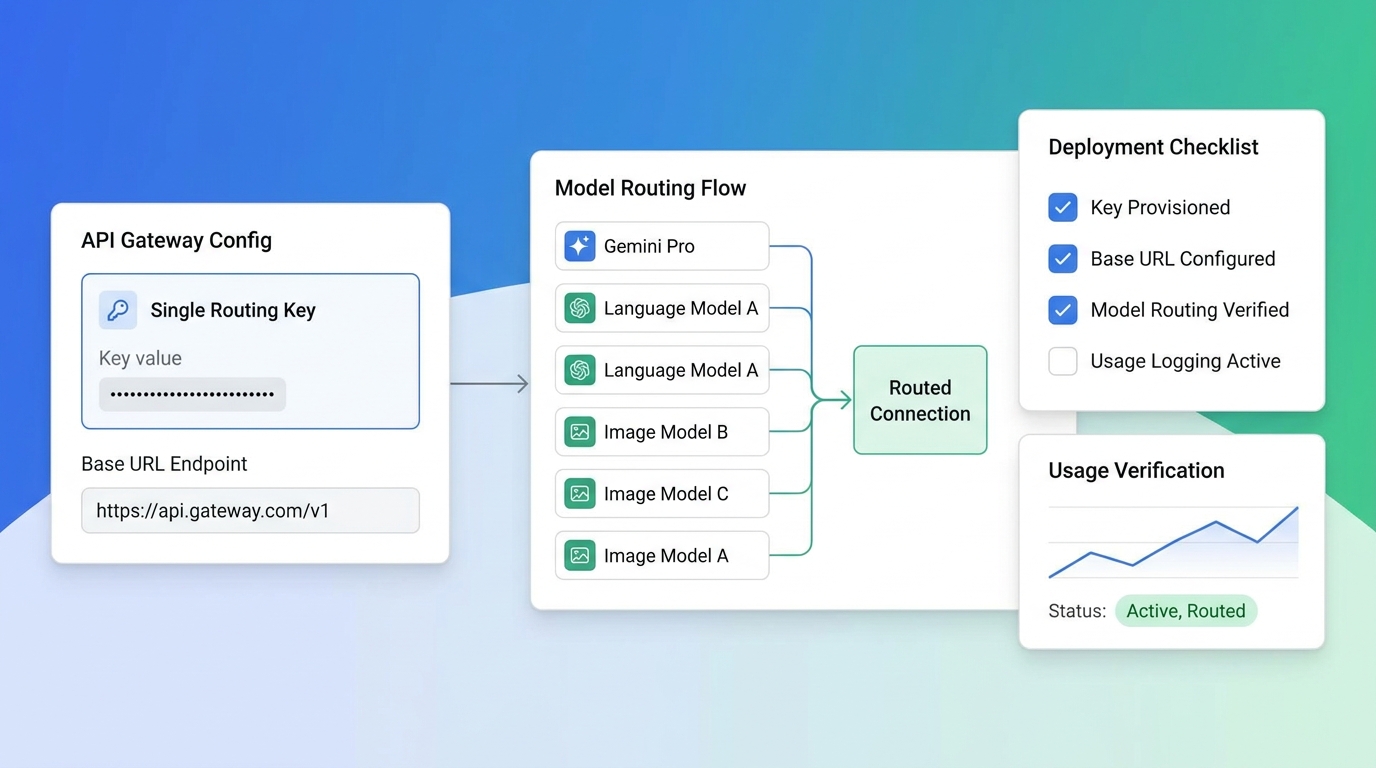
If your app also calls Claude, GPT, DeepSeek, or Qwen, managing a separate key, billing account, and rate-limit tier per provider adds work. Flatkey gives one OpenAI-compatible key and base URL (https://router.flatkey.ai/v1) for Gemini and other models, with per-key usage logs (Flatkey docs). Be honest about the price trade-off, which varies by model. On October 27, 2026, Flatkey's model pages listed:
| Model | Google list (Standard) | Flatkey |
|---|---|---|
| Gemini 4 Argon | $2.00 / $10.00 | $1.60 / $8.00 |
| Gemini 3.5 Flash-Lite | $0.30 / $2.50 | $0.24 / $2.00 |
| Gemini 3.8 Flash | $0.75 / $3.75 (promo through Dec 31, 2026) | $1.20 / $6.00 |
For Gemini 3.8 Flash, Google's promotional price is lower than Flatkey's until December 31, 2026, so a Flash-only app is cheaper calling Google directly until then. Flatkey makes more sense for Argon, Flash-Lite, or mixed-provider apps.
from openai import OpenAI
import os

client = OpenAI(api_key=os.environ["FLATKEY_API_KEY"], base_url="https://router.flatkey.ai/v1")
resp = client.chat.completions.create(
    model="gemini-4-argon",
    messages=[{"role": "user", "content": "Summarize this stack trace in one line."}],
)
print(resp.choices[0].message.content)
FAQ
How do I get a Google Gemini API key?
Sign in at aistudio.google.com/apikey, accept the terms, choose or import a Google Cloud project, and click Create API key. New users get a default project and key automatically. The key is shown in AI Studio's API Keys page.
Is the Gemini API key free?
Yes. Creating a key costs nothing, and models such as Gemini 3.8 Flash and Gemini 3.5 Flash-Lite have a free tier with rate limits. Free-tier content can be used to improve Google's products, and Gemini 4 Argon is not available for free.
How do I use the Gemini API for free?
Create a key without linking billing, call a free-tier model such as gemini-3.8-flash, and stay inside the limits shown in AI Studio. Limits are per project, so extra keys in the same project do not add quota.
Where can I find my Google API key?
In Google AI Studio under Dashboard → API Keys. Keys restricted to non-Gemini Google APIs are only listed on the Google Cloud console credentials page.
What can someone do with my API key?
They can make requests billed to your project, use up your quota, and, with an authorization key, act as the bound service account. Replace the key, deploy the new one, disable the old one, and review usage if you suspect a leak.
Why did my old Gemini API key stop working?
Since 2026 the Gemini API rejects unrestricted standard keys, and since May 7, 2026 it blocks unrestricted keys that were dormant for a long time. Restrict the key to the Gemini API or create a new authorization key.
Can I use a Gemini API key with the OpenAI SDK?
Yes. Set the base URL to https://generativelanguage.googleapis.com/v1beta/openai/ and pass your Gemini key as the API key.
Bottom line
Getting a Gemini key takes two minutes in AI Studio; keeping it safe takes a little more. Use an authorization key, store it on the server in a secret manager, restrict it, set billing alerts, use the paid tier for real user data, and watch the scheduled price changes. If you run several providers, one gateway key can replace a stack of per-provider keys. Compare models in the Flatkey model catalog and see the Gemini vs Claude routing guide for when to send traffic to each.