
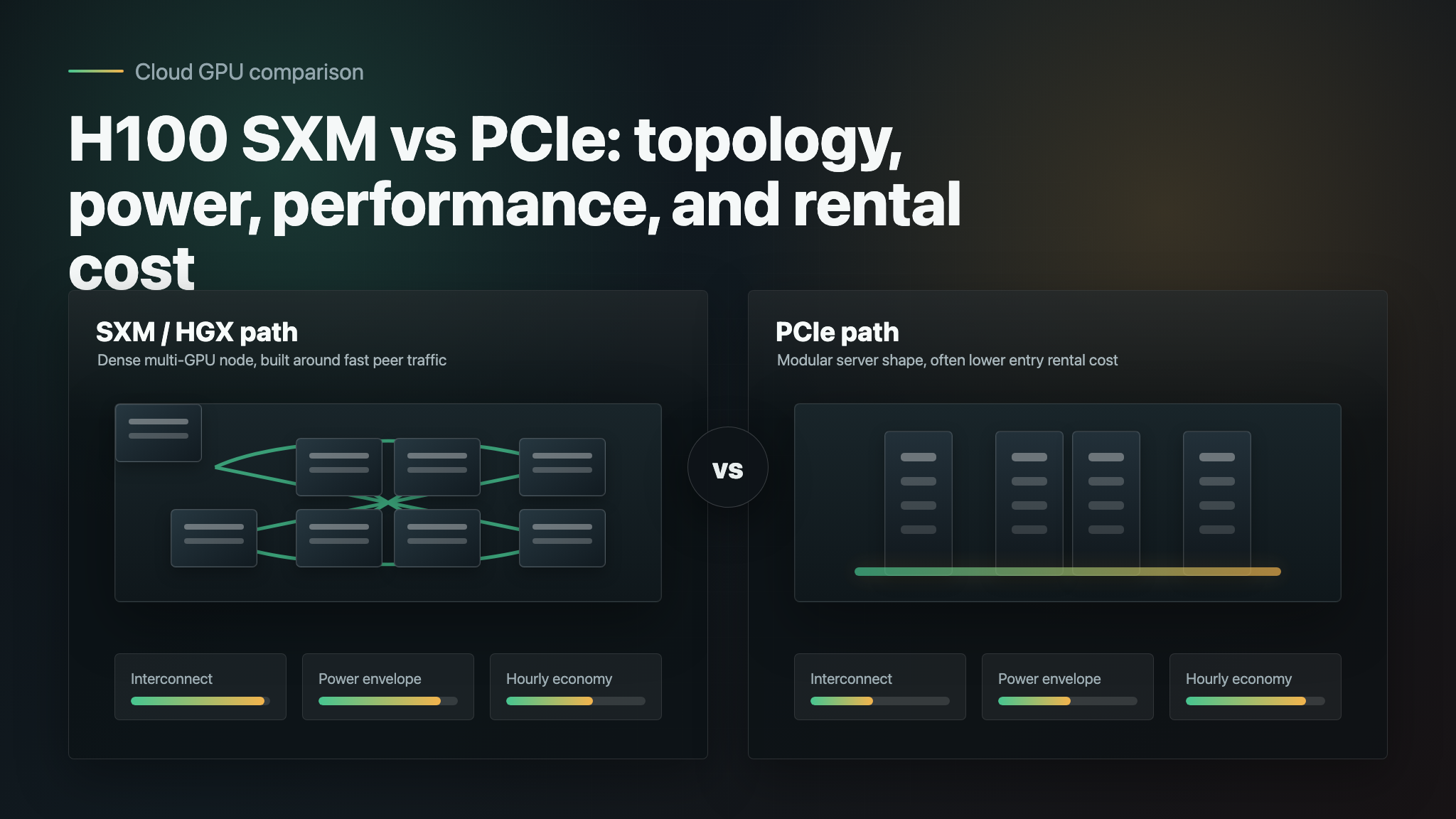
If you are searching for h100 pcie vs sxm, the short answer is simple: choose H100 SXM when your workload benefits from dense multi-GPU bandwidth, NVLink/NVSwitch topology, and the higher power envelope; choose H100 PCIe when you need lower rental cost, easier single-GPU access, or a simpler server shape.
The harder answer is economic. A cheaper H100 PCIe hour is not automatically cheaper if the job runs longer, spends more time waiting on GPU-to-GPU communication, or forces you to over-shard a model. A higher-priced H100 SXM hour is not automatically better if your inference service is memory-light, CPU-bound, or mostly single-GPU.
This guide compares H100 SXM vs PCIe across NVLink, power, expected performance behavior, and rental cost. It also separates plain H100 PCIe listings from H100 NVL, a PCIe-family NVIDIA product with NVLink bridge support that is often confused with generic H100 PCIe rental.
H100 PCIe vs SXM at a glance
| Decision point | H100 SXM | H100 PCIe / PCIe-family |
|---|---|---|
| Best fit | Multi-GPU training, high-throughput inference, jobs that scale across 4-8 GPUs | Single-GPU experiments, smaller inference services, lower-cost rental, broader server compatibility |
| Physical format | SXM module in HGX/DGX-style systems | PCIe dual-slot cards or PCIe-family systems |
| Interconnect story | Built for high-bandwidth GPU-to-GPU communication; NVIDIA lists 900 GB/s NVLink on H100 SXM | Plain PCIe depends heavily on server design; NVIDIA H100 NVL is a special PCIe-family option with NVLink bridge support |
| Power envelope | NVIDIA lists H100 SXM with up to 700W configurable TDP | NVIDIA lists H100 NVL at 350-400W configurable TDP; many plain H100 PCIe rentals are selected for lower-power server slots |
| Memory bandwidth | NVIDIA lists H100 SXM at 3.35 TB/s | NVIDIA lists H100 NVL at 3.9 TB/s, but that is not the same as every generic H100 PCIe listing |
| Rental pattern | Higher average on-demand price in the October 13, 2026 Price of Compute snapshot, but more listed providers | Lower average on-demand price in the same snapshot, with fewer listed providers |
| Buyer risk | Paying for SXM when the workload is not interconnect-bound | Underbuying PCIe when the workload really needs fast multi-GPU collectives |
For most teams, the nvidia h100 sxm vs pcie differences come down to topology. SXM is usually the better fit when the GPUs need to behave like one tightly coupled machine. PCIe is usually the better fit when each GPU can work independently or when rental flexibility matters more than maximum cluster efficiency.
The quick rule
Use this rule before you look at price:
| If your workload is mostly... | Start with... | Why |
|---|---|---|
| Distributed training, fine-tuning, or large batch inference across many GPUs | H100 SXM | NVLink/NVSwitch topology can reduce communication bottlenecks |
| Single-GPU inference, embeddings, batch jobs, prototypes, or latency tests | H100 PCIe | You may not use enough interconnect to justify SXM rental premiums |
| Serving one large model that barely fits on one GPU | Test both | Memory, tensor parallelism, and batch shape decide the real winner |
| Short experiments where queue time matters | The available rental that meets memory needs | Waiting for the perfect form factor can cost more than the price gap |
| Production inference without needing direct CUDA control | Compare GPU rental with a model/API baseline | Managed APIs can be cheaper operationally when utilization is low or bursty |
If you only need H100-class capacity occasionally, compare the GPU route against a managed model/API route before reserving hardware. Flatkey gives teams one API key, one billing surface, and OpenAI-compatible access to many model families, which is often the simpler baseline when direct GPU control is not the point.
NVLink is the biggest architectural difference
NVLink is the main reason h100 pcie vs sxm is not just a slot-format question.
NVIDIA's public H100 page lists fourth-generation NVLink at 900 GB/s of GPU-to-GPU interconnect for H100, and its H100 product table lists H100 SXM with NVIDIA NVLink at 900 GB/s plus PCIe Gen5 at 128 GB/s. That is the topology SXM renters are usually paying for: a server design where multiple GPUs can communicate with high bandwidth and predictable latency.
For distributed training, that matters because all-reduce, tensor parallelism, pipeline parallelism, and optimizer synchronization can become the bottleneck. A workload that looks compute-bound on one GPU can become communication-bound once it spans four or eight GPUs. In that case, the H100 SXM vs PCIe question should be answered by benchmarked job time, not by hourly price alone.
PCIe is different. It is flexible, common, and easier to fit into many server designs, but it does not automatically mean each GPU has dense NVLink connectivity to every other GPU in the node. Some PCIe-family H100 systems do include bridge options. NVIDIA's H100 NVL product is specifically a PCIe dual-slot air-cooled design with NVLink bridge support and 188 GB HBM3 across a paired configuration for LLM inference. That does not mean every cloud listing called "H100 PCIe" has the same topology.
Ask rental providers these questions before assuming the answer:
- Is this plain H100 PCIe, H100 NVL, HGX H100, or another server design?
- How many GPUs are in the node?
- Is NVLink enabled between the GPUs you rent?
- Is NVSwitch present?
- What is the measured NCCL all-reduce bandwidth on the exact node type?
- Are the GPUs dedicated to one customer or shared through a marketplace scheduler?
Those answers usually matter more than the words "PCIe" and "SXM" by themselves.
Power consumption and data-center constraints
The keyword nvidia h100 sxm vs pcie power consumption usually points to a practical concern: can your provider, colo rack, or private cluster support the power and cooling profile?
NVIDIA lists H100 SXM at up to 700W configurable TDP. It lists H100 NVL, a PCIe dual-slot air-cooled product, at 350-400W configurable TDP. In plain language, SXM is designed for high-density accelerated servers where the platform expects the power, cooling, and board integration required by top-end GPU clusters. PCIe-family cards fit a more conventional server shape.
For rentals, the power difference shows up indirectly:
- SXM capacity is often sold inside HGX, DGX, or equivalent dense multi-GPU systems.
- PCIe capacity is easier to find in smaller node shapes and marketplaces.
- SXM may have stronger throughput per job for communication-heavy work.
- PCIe may have better availability or lower entry cost for single-GPU jobs.
Do not compare TDP as if it were your billable electricity rate. Cloud GPU renters usually pay a bundled hourly price. The relevant economic question is whether the higher-power SXM system finishes enough faster or supports enough higher batch throughput to reduce cost per completed job.
Performance: where SXM usually wins
SXM usually wins when GPUs need to coordinate.
Examples:
- Multi-GPU pretraining or continued pretraining.
- Full fine-tuning where gradients move across GPUs frequently.
- Tensor-parallel inference for large models that do not fit cleanly on one GPU.
- High-throughput serving where batching and communication overhead determine tokens per second.
- Scientific or HPC workloads that depend on fast peer-to-peer GPU traffic.
In these cases, a narrow h100 pcie vs sxm price comparison can mislead you. If an SXM node is 30% more expensive per GPU-hour but reduces job time by 40%, the effective cost per completed run can still improve. If it is 60% more expensive and your job sees only a 5% gain, PCIe is the better buy.
That is why a production decision should use a workload-level metric:
| Workload | Better metric than hourly price |
|---|---|
| Fine-tuning | Cost per successful training run |
| Batch inference | Cost per million accepted tokens or outputs |
| Realtime inference | Cost per served request at target latency |
| Embeddings | Cost per million vectors generated |
| Evaluation harnesses | Cost per completed benchmark suite |
For broader GPU selection tradeoffs, see Flatkey's guides to H100 vs A100, H200 vs H100, and the best GPU for LLM inference.
Performance: where PCIe can be enough
H100 PCIe can be the better starting point when the workload does not need dense GPU-to-GPU communication.
Examples:
- Single-GPU inference for models that fit in memory.
- Embedding generation where each GPU can process independent batches.
- Data preprocessing, evaluation, or offline batch scoring.
- Early fine-tuning experiments before scale-up.
- Cost-sensitive jobs where wall-clock time is less important than hourly spend.
This is the most common mistake in H100 SXM vs PCIe buying: teams rent the highest-end SXM system because it feels safer, then run workloads that barely use the topology they paid for.
Start with PCIe if your workload can be split into independent units. Move to SXM when profiling shows GPU communication, model sharding, or multi-GPU utilization is holding back throughput.
Rental cost: the October 2026 snapshot
Rental markets move quickly, so treat any nvidia h100 sxm vs pcie price difference as a dated snapshot, not a permanent truth.
The Price of Compute API snapshot checked on October 13, 2026 showed:
| SKU | On-demand average | Providers in average | Spot average | Providers in spot average | Lowest observed listed price in snapshot |
|---|---|---|---|---|---|
| H100 SXM | $4.0185 / GPU-hour | 8 | $2.157633 / GPU-hour | 3 | $1.733333 / GPU-hour on-demand on Vast |
| H100 PCIe | $2.945 / GPU-hour | 2 | No aggregate spot average in API response | n/a | $0.666667 / GPU-hour spot on Vast in ZA |
That snapshot suggests PCIe had a lower average on-demand price, while SXM had broader listed provider coverage. The provider list also shows why you should not decide from averages alone: region, marketplace supply, spot interruption risk, minimum rental size, storage, egress, and support level can dominate the final cost.
For more rental-market context, use Flatkey's GPU rental prices guide, GPU cloud comparison, and GPU cloud hidden costs.
How to compare H100 SXM vs PCIe cost correctly
Use this formula instead of stopping at hourly price:
effective cost =
  GPU hourly price
  x GPUs used
  x wall-clock hours
  + storage
  + data transfer
  + idle setup/debug time
  + retry or interruption cost
Then normalize by business output:
cost per accepted output =
  effective cost / accepted outputs
For training, the accepted output may be one checkpoint that passes evaluation. For inference, it may be one million usable tokens, images, clips, embeddings, or requests. This matters because h100 sxm vs pcie price can flip once you measure accepted output instead of raw GPU hours.
Example decision logic:
| Scenario | What to test | Likely outcome |
|---|---|---|
| One 70B model, one GPU, modest batch size | PCIe hourly price, latency, memory headroom | PCIe may win |
| 70B+ model sharded across GPUs | NCCL bandwidth, tokens/sec, tail latency | SXM may win |
| Fine-tuning with frequent synchronization | Step time and total run time | SXM often deserves the test |
| Embeddings over a large corpus | GPU utilization and queue overhead | PCIe can be enough |
| Short proof of concept | Setup time and availability | Cheapest available H100 may win |
| Production API where direct GPU control is not required | Model/API pricing and operational overhead | Managed API route may beat either rental path |
The last row is where Flatkey belongs in the decision. If your team wants model output, not GPU ownership, compare direct GPU rental with an API baseline. Flatkey helps teams route across many models with one key and one billing surface, reducing the operational overhead of managing separate provider accounts.
Procurement checklist
Before renting or reserving H100 capacity, ask:
- Is the listing H100 SXM, plain H100 PCIe, H100 NVL, or HGX H100?
- How many GPUs are in each node?
- Does the exact rental shape expose NVLink? If yes, what topology?
- Is NVSwitch present?
- What CPU, RAM, local NVMe, and network are included?
- Is the price on-demand, reserved, spot, marketplace, or promotional?
- Are storage, snapshots, public IPs, support, and egress included?
- Can you run NCCL and workload-level benchmarks before committing?
- What happens if spot capacity is reclaimed or the node fails?
- Would a managed model/API route meet the same product need with less operational work?
For cluster-level economics, use Flatkey's GPU cluster TCO guide and GPU cloud vs model API comparison.
Recommended benchmark plan
Run the same test on both H100 PCIe and H100 SXM before signing a longer reservation.
- Start with the exact framework you will use in production, such as vLLM, SGLang, PyTorch FSDP, DeepSpeed, or TensorRT-LLM.
- Record GPU utilization, memory utilization, tokens per second, step time, tail latency, and failed/retried jobs.
- Run a communication benchmark such as NCCL tests if the job spans GPUs.
- Test realistic batch sizes, not only synthetic maximums.
- Include setup time, data staging, and idle debugging time in cost.
- Compare cost per accepted output, not just GPU-hour price.
- Keep a model/API baseline if the product does not require direct CUDA control.
This benchmark plan is especially important for nvidia h100 sxm vs pcie differences because the performance gap is workload-shaped. The same SXM system that is excellent for one multi-GPU training job can be overkill for an independent batch inference queue.
Which should you choose?
Choose H100 SXM if:
- Your workload spans multiple GPUs and communication overhead is visible.
- You need an HGX/DGX-style system with high GPU-to-GPU bandwidth.
- Training step time or multi-GPU inference throughput matters more than lowest hourly price.
- You can keep the GPUs busy enough to justify the premium.
Choose H100 PCIe if:
- You are running single-GPU inference, experimentation, or batch jobs.
- You need lower entry cost or more flexible server shapes.
- Your workload parallelizes across independent jobs instead of tightly coupled GPUs.
- You want to validate demand before paying for dense SXM capacity.
Choose a model/API route if:
- Your product needs outputs, not low-level GPU access.
- Utilization is bursty or unpredictable.
- You do not want to manage capacity, drivers, queues, checkpoints, and billing across GPU clouds.
- You already need GPT, Claude, Gemini, open-weight, image, or video models under one integration surface.
The practical answer to h100 pcie vs sxm is not "SXM is always faster" or "PCIe is always cheaper." The right answer is: benchmark your exact workload, normalize by accepted output, and use the simplest infrastructure path that meets the product requirement.
Frequently Asked Questions
Is H100 SXM faster than H100 PCIe?
Often, yes, for multi-GPU workloads that benefit from dense NVLink/NVSwitch topology and the higher SXM power envelope. But single-GPU or loosely parallel workloads may not gain enough to justify the extra rental cost.
What is the main H100 SXM vs PCIe difference?
The main difference is the system design around the GPU. H100 SXM is built for dense accelerated servers with high GPU-to-GPU bandwidth. H100 PCIe is a card-based form factor that fits more conventional server designs; some PCIe-family products, such as H100 NVL, add NVLink bridge support, but generic PCIe listings should be verified.
Does every H100 PCIe rental include NVLink?
No. Do not assume that every H100 PCIe listing exposes NVLink or NVSwitch. Ask the provider for the exact node topology and, for multi-GPU jobs, run NCCL tests on the rental shape.
Why is H100 SXM more expensive to rent?
SXM capacity is usually sold as part of denser, higher-power systems with stronger GPU-to-GPU interconnect and cluster integration. Rental price also depends on provider, region, capacity pressure, reservation terms, support, and whether the listing is on-demand or spot.
Is H100 PCIe good for LLM inference?
Yes, H100 PCIe can be good for LLM inference when the model fits the memory and the service does not need heavy multi-GPU communication. For sharded large-model inference or maximum throughput per node, H100 SXM deserves a benchmark.
How should I compare H100 SXM vs PCIe rental cost?
Compare cost per completed job or cost per accepted output. Include GPU hours, number of GPUs, job time, storage, transfer, idle debugging, interruptions, and support. Hourly price alone does not capture the real h100 sxm vs pcie price tradeoff.
When should I skip GPU rental and use an API?
Use an API baseline when you do not need direct CUDA control, custom kernels, private model weights, or full cluster ownership. If the workload is bursty or the team mostly needs model responses, Flatkey's unified API route can be simpler than renting and operating H100 capacity directly.


