
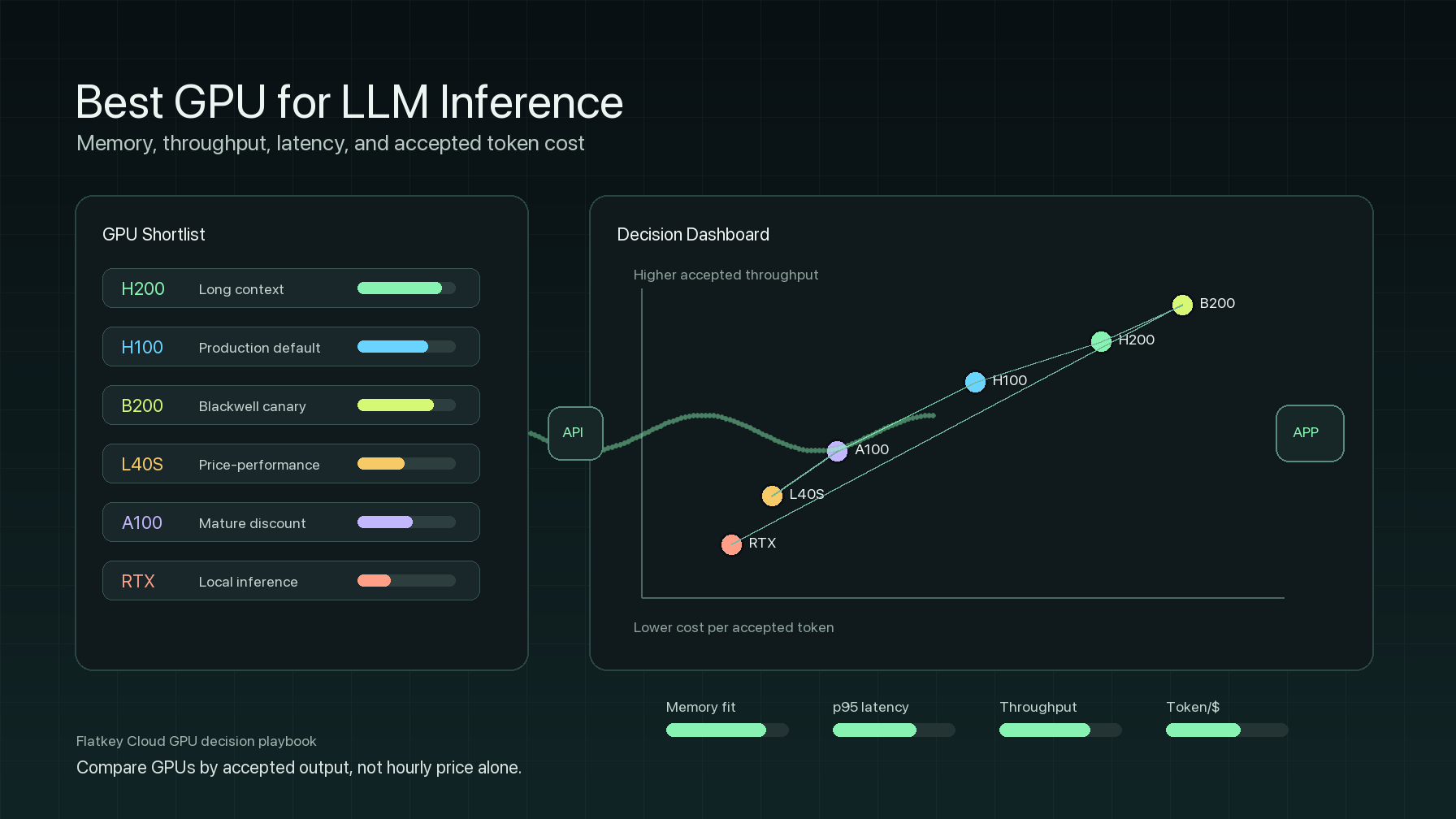
The best GPU for LLM inference is the GPU that handles your real prompt mix at the lowest acceptable cost while meeting your memory, latency, and reliability targets. It is not always the newest GPU, the cheapest hourly listing, or the card with the highest benchmark screenshot.
For most enterprise AI teams, the short answer is:
- Choose H200 when memory is the bottleneck: 70B-class serving, long-context RAG, high concurrency, or a KV cache that pushes H100 too close to the limit.
- Choose H100 when you need a mature production standard, with strong software support, broad cloud availability, and solid throughput without moving to Blackwell's newer capacity.
- Choose B200, GB200, or newer Blackwell systems when your stack can take advantage of Blackwell-era precision and topology, and the provider can prove real availability, pricing, and operational support.
- Choose L40S or A100 when cost efficiency matters more than peak latency, the model fits comfortably, and your workload is batch, internal, or moderately contextual.
- Choose RTX 4090, RTX 5090, or workstation GPUs for local LLM inference, development, demos, and small private workloads, not for multi-tenant enterprise serving.
- Use a model API or a router instead of renting GPUs when traffic is bursty, model choice changes frequently, or operating the serving stack is not your differentiator.
This guide explains how to choose the best GPU for LLM inference by memory, throughput, latency, and cost per token. It also includes a decision matrix, a benchmark plan, and a tokens-per-dollar spreadsheet you can reuse before renting or buying capacity.
Best GPU for LLM inference: quick decision matrix
| Workload | Best GPU to start with | Why it usually fits | Watch-outs |
|---|---|---|---|
| 7B-13B chat, internal tools, prototypes | L40S, RTX 4090, RTX 5090, A100 40GB, or L4-class cloud capacity | A lower hourly cost can matter more than accelerator peak speed when the model is small and concurrency is moderate. | Do not extrapolate local demo latency to production p95/p99 traffic. |
| 30B-34B inference | L40S, A100 80GB, H100 PCIe/SXM | Enough memory for practical serving setups, with a lower cost floor than H200 or B200. | Long context and high concurrency can push the workload into H100/H200 territory. |
| 70B-class inference | H100, H200, or multi-GPU A100/H100 | H100 is the mature baseline; H200 is attractive when memory and KV cache pressure reduce the number of GPUs needed. | Quantization, tensor parallelism, and batching policy define the real cost. |
| Long-context RAG | H200 first, then H100 NVL/SXM or B200 if available | KV cache and prompt prefill can make memory capacity and bandwidth more important than raw hourly price. | Benchmark with real context lengths, not just short prompts. |
| high-throughput batch inference | A100, L40S, H100, or H100 spot/marketplace | Throughput per dollar often beats lower latency when jobs can queue. | Include retries, interruptions, cold starts, and storage cost. |
| latency-sensitive customer chat | H100, H200, or B200, depending on model size | Newer data center GPUs have better serving-stack support, bandwidth, and headroom for concurrency. | p95 and p99 latency matter more than average tokens/sec. |
| local LLM inference | RTX 4090, RTX 5090, RTX PRO workstation cards / RTX 6000-class | Local cards are useful for private development, offline testing, and smaller models. | Consumer cards do not replace managed multi-tenant reliability. |
| regulated or enterprise production | H100/H200/B200 at a provider with support, networking, isolation, and audit controls | The operational layer may matter more than the GPU name. | Verify SLA, replacement policy, networking, storage, and observability. |
The rule of thumb: the best GPU for LLM inference changes when the model size, context length, concurrency, precision, serving framework, and price change. Make the GPU earn the workload.
Why memory usually decides the first shortlist
LLM inference uses GPU memory for more than model weights. A production server also needs KV cache, runtime overhead, batching buffers, adapters, tokenizer/server overhead, and sometimes speculative decoding or structured output buffers.
Use this first-pass memory model:
required_vram =
  model_weights
  + KV_cache_for_target_context_and_concurrency
  + runtime_overhead
  + safety_margin
The KV cache is why a model that fits in a short demo can fail in production. Long prompts, larger batches, more concurrent requests, and larger output limits increase memory pressure. The best value GPU for LLM inference is often the GPU that avoids an extra shard, avoids a retry after out-of-memory, or lets you keep a larger batch without hurting p95 latency.
Memory capacity also changes operations:
| Memory condition | What it means for LLM serving |
|---|---|
| Plenty of headroom | You can tune batch size, context length, and concurrency without immediate OOM risk. |
| Near the limit | Quantization, smaller batches, shorter context, or tensor parallelism become mandatory. |
| Above the limit | You need more GPUs, a GPU with more memory, a smaller model, lower precision, or an API route. |
NVIDIA lists the H200 with 141GB of HBM3e memory and 4.8TB/s of memory bandwidth. NVIDIA pages for the H100 position the H100 as the mature Hopper baseline, while AWS P5 pages show H100 and H200 instance families with up to 8 GPUs per node and NVSwitch GPU-to-GPU bandwidth. For procurement work, the important point is not a single spec line. It is knowing whether the extra memory reduces GPU count, simplifies sharding, or improves accepted throughput.
Throughput: tokens per second is not enough
Raw tokens/sec are useful, but they are not the buyer’s metric. For a production service, measure accepted work:
accepted_output_rendimento =
  accepted output tokens or accepted responses
  / wall-clock benchmark duration
Then normalize by cost:
token_per_dollar =
  accepted output tokens per hour
  / effective hourly cost
This is the core metric behind searches for best GPU for LLM inference token/s/usd. A cheaper GPU can win when it stays well utilized and the latency target is more flexible. A more expensive GPU can win when it increases batch size, reduces replicas, avoids memory failures, or keeps p95/p99 latency within the service-level objective.
Break throughput into two phases:
| Phase | What stresses the GPU | What to measure |
|---|---|---|
| Prefill | Prompt length, attention work, memory movement, cache reuse | time to first token, prompt tokens/sec, queue wait |
| Decode | Output length, batch scaling, KV cache bandwidth | output tokens/sec, inter-token latency, p95/p99 completion time |
For long-context RAG and agent traffic, prefill may dominate. For streaming chat with long answers, decode may dominate. For batch classification, accepted requests per minute may matter more than streaming latency.
Latency: choose for p95 and p99, not for average speed
The best GPU for LLM inference under a user-facing SLA is the GPU that keeps tail latency under load. Average latency hides queuing, noisy neighbors, cache misses, cold starts, and retries after OOM.
Track these metrics in every GPU test:
able>| Metric | Why it matters |
|---|---|
| Time to first token | Perceived user responsiveness and prefill efficiency. |
| Inter-token latency | Streaming quality and decode speed. |
| End-to-end latency | Total task completion time. |
| p95 and p99 latency | Real production SLO health. |
| Queue wait | Whether the server is already overloaded before generation even starts. |
| OOM and retry rate | Whether the benchmark is stable enough to guide purchasing. |
| GPU utilization and HBM bandwidth utilization | Whether the GPU is the bottleneck or the pipeline is waiting elsewhere. |
If the H200 is priced at 1.4x the price of an H100 and delivers 1.8x the accepted output throughput for your workload, the H200 may win. If it costs 2.2x and improves p95 by only 10%, the H100 probably wins. If an L40S is much cheaper and meets the latency target for a 13B model, the L40S may be the best cost-effective GPU for LLM inference for that scenario.
Best GPU for local LLM inference
The best GPU for local LLM inference is a different question from the best GPU for enterprise serving. Local inference usually values purchase price, desk power consumption, VRAM, privacy, and developer convenience. Production serving values availability, observability, replacement policy, interconnect, multi-tenant isolation, and support.
For local use:
- RTX 4090 and RTX 5090 are strong options for local development of small and quantized models, because they offer high consumer GPU performance and enough VRAM for many experiments.
- RTX PRO / RTX 6000 class workstation GPUs are better when you need more VRAM, workstation drivers, or professional support.
- Unified memory on a Mac or CPU inference can be useful for testing, but should not be treated as a GPU serving benchmark.
- Local multi-GPU rigs can work for research, but rarely match cloud data center operations unless your team is responsible for power, cooling, networking, monitoring, and failure recovery.
Use local GPUs to validate prompts, quality, quantization, and application behavior. Use cloud or data center GPUs to validate production concurrency, p95/p99 latency, availability, cost per accepted token, and rollout processes.
Recommended GPU by model and serving pattern
| Serving pattern | Shortlist of GPUs | Why |
|---|---|---|
| 7B/8B support bot, moderate context | L40S, A100 40GB/80GB, H100 PCIe, local-class RTX for development | The model is small enough that a lower hourly cost may matter more than top-end memory. |
| Private 13B-34B assistant | L40S, A100 80GB, H100 | Choose based on concurrency and latency target; H100 is useful when tail latency matters. |
| 70B chat with moderate context | H100, H200, 2x A100/H100 depending on precision | Benchmark quantization, tensor parallelism, and batching policy. |
| Long-context 70B RAG | H200, H100 NVL/SXM, B200 when available | Memory and KV cache pressure may dominate. |
| Multi-tenant enterprise API | H100/H200/B200 from a supported provider | Support, observability, isolation, and replacement policy matter. |
| Offline batch inference | A100, L40S, H100 spot or marketplace | Throughput per dollar can outweigh lower latency. |
| Developer laptop or desktop | RTX 4090, RTX 5090, RTX PRO/workstation | Great for local LLM inference and prompt development; not a full answer for production. |
Benchmark plan before renting or buying
Do not choose the best GPU for LLM inference based only on a generic benchmark. Run a reproduction that looks like your product.
- Freeze the workload. Record the model ID, quantization, precision, prompt length distribution, output length distribution, target context, concurrency, and quality checks.
- Freeze the serving stack. Use the same version of vLLM, SGLang, TensorRT-LLM, NIM, or custom server across all GPU tests when possible.
- Freeze the hardware configuration. Capture the GPU SKU, number of GPUs, PCIe/SXM/NVL, CPU, RAM, storage, driver, CUDA version, networking, and placement.
- Run three traffic traces. Short chat, long-context RAG, and batch/offline prompts reveal different bottlenecks.
- Measure p50, p95, p99. Average latency is not enough for customer-facing inference.
- Track failures. Count OOMs, timeouts, evictions, cold-start failures, and retry amplification.
- Calculate accepted cost. Divide effective cost by accepted output tokens, accepted responses, or completed tasks.
- Run at least one day of canary. Marketplace prices, provider availability, and queuing can change during real traffic windows.
Minimum benchmark table:
| Metric | Candidate GPU A | Candidate GPU B | Candidate GPU C |
|---|---|---|---|
| GPU hourly price | |||
| Effective hourly cost | |||
| Accepted output tokens/hour | |||
| Cost per 1M accepted output tokens | |||
| Time to first token p95 | |||
| End-to-end latency p95/p99 | |||
| OOM or retry rate | |||
| Average GPU utilization | |||
| Operational notes |
When a model API beats renting GPUs
The best GPU for LLM inference may actually be no GPU rental at all. Direct GPU control is valuable when you have proprietary weights, sustained utilization, custom kernels, strong data locality, or a serving team that can keep GPUs busy.
Use a model API or router when:
- Traffic is irregular.
- You need multiple model providers, rather than a single fixed open-weight model.
- The model choice changes frequently.
- You need fallback more than bare-metal control.
- GPU idle time would exceed any API token premium.
- Your team wants usage logs, budget limits, invoices, and provider governance without operating a serving cluster.
Flatkey fits on this side of the decision: one key, one balance, one invoice, more than 300 official models, more than 1,000 pay-per-call tools, and request-level usage logs. If a workload does not require self-hosted weights, compare GPU cost per accepted token with managed model routes before committing to a GPU cluster.
For related cost decisions, see Flatkey's guides on GPU rental prices, H100 vs A100, H200 vs H100, GPU cluster rental, vLLM vs SGLang, and AI model pricing comparison.
Final recommendation
The best GPU for LLM inference depends on the workload:
- Use H200 when memory, long context, and KV cache pressure determine cost.
- Use H100 when you need a proven production standard and the workload fits.
- Use B200 or GB200 when Blackwell capacity is available, the serving stack is ready, and your benchmark justifies the premium.
- Use L40S or A100 when cost efficiency matters more than peak latency.
- Use local RTX-class GPUs for development and local LLM inference, not for enterprise multi-tenant serving.
- Use Flatkey or another model API layer when operating GPUs directly is not the product advantage.
The buying metric is not "which GPU is fastest?" It is cost per accepted token at the latency and reliability level your product requires.
Frequently asked questions
Which is the best GPU for LLM inference?
The best GPU for LLM inference depends on the workload. H200 is often the strongest starting point for 70B and long-context serving constrained by memory. H100 is the mature production standard. L40S, A100, RTX 4090, or RTX 5090 may be better for smaller models, batch jobs, or local inference when they meet the latency target at lower cost.
Which is the best GPU for cost efficiency in LLM inference?
The best GPU for cost efficiency in LLM inference is the GPU with the lowest cost per accepted token or accepted response, not the lowest hourly price. Calculate effective hourly cost, accepted output tokens per hour, p95/p99 latency, and failure rate before choosing.
How do I calculate the best GPU for LLM inference in token/s/usd?
Use accepted output tokens per hour divided by effective hourly cost. Effective cost should include GPU rental, storage, bandwidth, idle time, retries, support, and engineering overhead. Then compare the same model, precision, context length, and serving stack across GPUs.
Is H100 or H200 better for LLM inference?
H200 is generally better when memory capacity, bandwidth, long context, or a larger KV cache change the shape of serving. H100 is generally better when the model fits well, capacity is cheaper or easier to obtain, and the benchmark meets latency and throughput targets.
Is B200 the best GPU for LLM inference?
B200 or GB200 systems can be excellent for large-scale LLM inference when the provider has real capacity, the serving framework supports the precision and topology you intend to use, and the benchmark proves lower accepted cost. Do not buy Blackwell capacity based only on launch promises; test your traffic.
Which is the best GPU for local LLM inference?
For local LLM inference, RTX 4090 and RTX 5090 are common high-performance choices for developers, while RTX PRO or RTX 6000-class cards are better when you need more VRAM or professional workstation support. Local GPUs are best for development, privacy, and small deployments, not for fully reliable enterprise serving.
Verified sources
- GPU NVIDIA H200: https://www.nvidia.com/en-us/data-center/h200/
- GPU NVIDIA H100 Tensor Core: https://www.nvidia.com/en-us/data-center/h100/
- GPU NVIDIA A100 Tensor Core: https://www.nvidia.com/en-us/data-center/a100/
- NVIDIA DGX B200: https://www.nvidia.com/en-us/data-center/dgx-b200/
- GPU NVIDIA L40S: https://www.nvidia.com/en-us/data-center/l40s/
- NVIDIA GeForce RTX 5090: https://www.nvidia.com/en-us/geforce/graphics-cards/50-series/rtx-5090/
- RunPod GPU cloud pricing: https://www.runpod.io/pricing
- Lambda GPU cloud pricing: https://lambda.ai/pricing
- AWS EC2 P5 instances: https://aws.amazon.com/ec2/instance-types/p5/
- Google Cloud GPU machine types: https://docs.cloud.google.com/docs/compute-area/gpus
- vLLM OpenAI-compatible server documentation: https://docs.vllm.ai/en/latest/serving/openai_compatible_server.html


