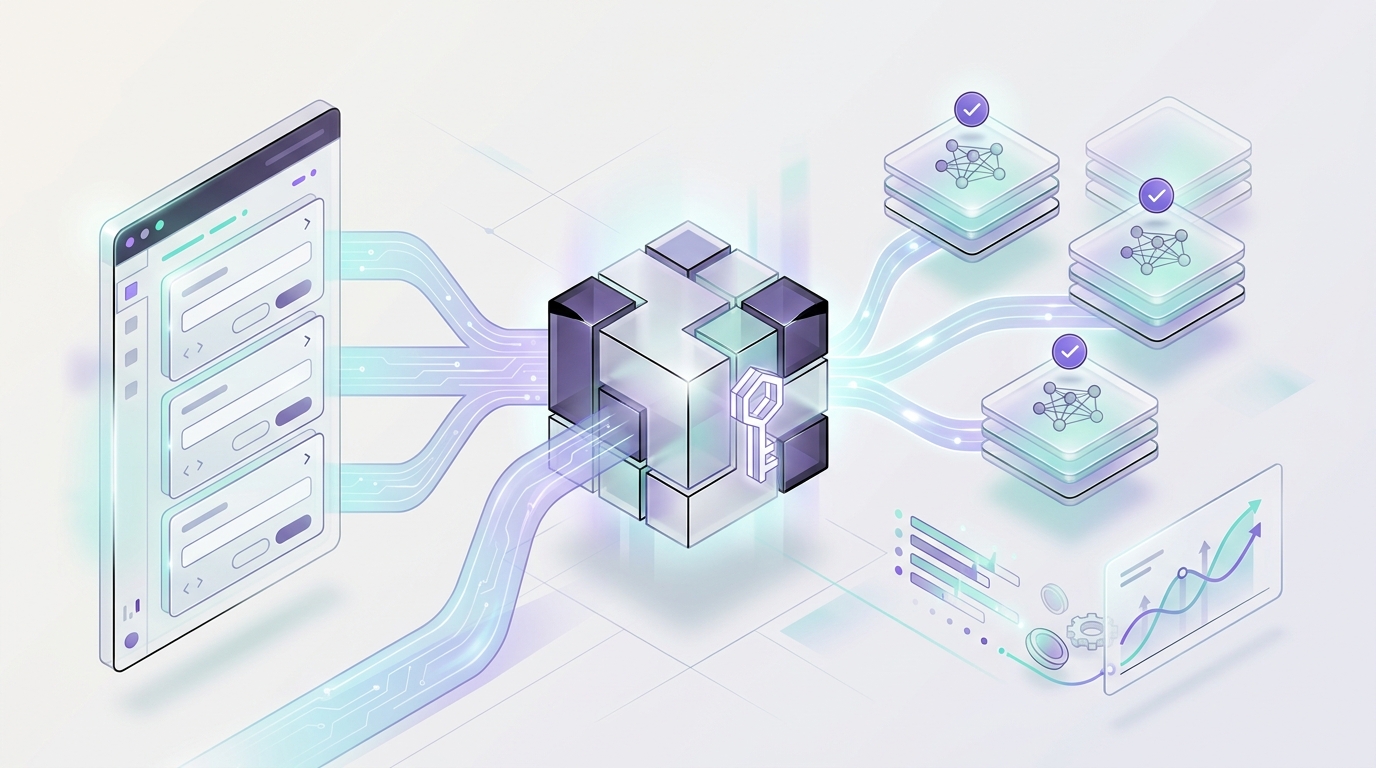
Qwen API access has two practical paths for teams that already use OpenAI-style clients. You can call Qwen directly through Alibaba Cloud Model Studio's DashScope OpenAI-compatible interface, or you can keep one Flatkey router base URL and use Qwen beside the other models your product already routes.
The direct Alibaba Cloud path is region-specific. The Flatkey path uses https://router.flatkey.ai/v1, a Flatkey key, and a Qwen model ID selected from the current Flatkey catalog before you test logs, pricing units, feature support, and rollback.
This guide explains how to use Qwen API access through one OpenAI-compatible base URL. It covers what Alibaba Cloud's official docs confirm, where Flatkey changes the operating model, and what to verify before you move production traffic.
Quick Answer: Qwen API Access Through One Router Base URL
If your app already uses the OpenAI Python or JavaScript SDK, Qwen API access can start as a configuration change instead of a provider SDK rewrite.
| Decision | Direct Qwen In Model Studio | Qwen Through Flatkey |
|---|---|---|
| API key | DashScope API key from Alibaba Cloud Model Studio | Flatkey API key |
| Base URL | Region-specific DashScope OpenAI-compatible URL | https://router.flatkey.ai/v1 |
| Primary goal | Call Qwen directly with OpenAI-compatible syntax | Route Qwen beside other providers behind one key |
| Model choice | Qwen model from Alibaba Cloud docs and account region | Qwen model from Flatkey pricing or dashboard |
| Validation | Response, feature support, Alibaba Cloud billing | Response, Flatkey usage log, pricing unit, quota, rollback |
Use the direct Model Studio endpoint when you only need Alibaba Cloud account control for Qwen. Use Flatkey when Qwen should sit inside the same access, routing, quota, usage-log, and billing workflow as GPT, Claude, Gemini, DeepSeek, Seedance, image models, and other model families.
What Alibaba Cloud's Qwen Docs Confirm
Alibaba Cloud documents that Qwen models in Model Studio support an OpenAI-compatible interface. The official migration instruction is direct: adjust the API key, BASE_URL, and model name. That is the same three-part migration pattern most OpenAI-compatible SDK users expect.
The official docs list region-specific base URLs for SDK calls:
| Region | OpenAI-Compatible Base URL |
|---|---|
| Singapore | https://dashscope-intl.aliyuncs.com/compatible-mode/v1 |
| US (Virginia) | https://dashscope-us.aliyuncs.com/compatible-mode/v1 |
| China (Beijing) | https://dashscope.aliyuncs.com/compatible-mode/v1 |
| Hong Kong (China) | https://cn-hongkong.dashscope.aliyuncs.com/compatible-mode/v1 |
The OpenAI Chat reference also documents the full chat endpoint format, such as POST https://dashscope-us.aliyuncs.com/compatible-mode/v1/chat/completions for US calls. The same docs include examples for non-streaming chat, streaming, usage in the final stream chunk, tool calling, JSON output, image input for vision-capable models, and search-related options.
That does not mean every Qwen model supports every feature. It means Qwen API access should be tested feature by feature: basic chat first, then streaming, tools, JSON, vision, search, or any endpoint your app actually uses.
Where Flatkey Changes The Qwen Setup
Flatkey changes the operational surface around Qwen API access. Instead of choosing a DashScope region base URL directly in every application, you point your OpenAI-compatible client at one router base URL:
https://router.flatkey.ai/v1That route matters when Qwen is not the only model in your stack. Flatkey's public product copy positions the platform around one API key, clear pricing, usage visibility, and one dashboard for keys, usage, and routing. Qwen support for this article is verified through the live Flatkey pricing catalog snapshot, not through an evergreen homepage claim.
The publish-day Flatkey pricing snapshot checked for this article returned 638 total model rows and 63 Qwen-named rows. Of those Qwen rows, 28 were marked available in the snapshot, and the Qwen rows exposed openai as a supported endpoint type. Treat that as dated proof from June 16, 2026, not a permanent availability guarantee: confirm the current Qwen model ID in pricing or the dashboard before production traffic.
Base URL Migration Pattern
Keep Qwen API access in configuration instead of hardcoding provider URLs across your codebase.
FLATKEY_API_KEY="sk-fk-your-key"
OPENAI_BASE_URL="https://router.flatkey.ai/v1"
FLATKEY_QWEN_MODEL="replace-with-flatkey-qwen-model-id"

# Optional direct Model Studio values for comparison or rollback.
DASHSCOPE_API_KEY="sk-your-dashscope-key"
DASHSCOPE_BASE_URL="https://dashscope-us.aliyuncs.com/compatible-mode/v1"
The important distinction is ownership of the route. Direct Qwen tests use a DashScope key and a regional DashScope base URL. Flatkey tests use a Flatkey key and the Flatkey router base URL. Do not mix keys, base URLs, and model IDs between the two paths.
Python Template For Qwen Through Flatkey
Template only: run this with a valid Flatkey key and a confirmed Flatkey Qwen model ID before using it in production.
import os
from openai import OpenAI

client = OpenAI(
    api_key=os.environ["FLATKEY_API_KEY"],
    base_url=os.environ.get("OPENAI_BASE_URL", "https://router.flatkey.ai/v1"),
)

response = client.chat.completions.create(
    model=os.environ["FLATKEY_QWEN_MODEL"],
    messages=[
        {
            "role": "user",
            "content": "Reply with one sentence confirming the Qwen route is configured.",
        }
    ],
)

print(response.choices[0].message.content)
print(response.usage)
The code shape is intentionally ordinary OpenAI SDK usage. The production work is choosing the right model ID, testing your feature set, and confirming the request appears in Flatkey usage logs with the expected model, status, token usage, and cost.
JavaScript Template For Qwen Through Flatkey
Template only: run this with a valid Flatkey key and a confirmed model ID from the current Flatkey catalog.
import OpenAI from "openai";

const client = new OpenAI({
  apiKey: process.env.FLATKEY_API_KEY,
  baseURL: process.env.OPENAI_BASE_URL || "https://router.flatkey.ai/v1",
});

const response = await client.chat.completions.create({
  model: process.env.FLATKEY_QWEN_MODEL,
  messages: [
    {
      role: "user",
      content: "Reply with one sentence confirming the Qwen route is configured.",
    },
  ],
});

console.log(response.choices[0].message.content);
console.log(response.usage);
For teams already using OpenAI-compatible JavaScript clients, this keeps Qwen API access small enough to review in one configuration change. The route still needs a smoke test before real traffic.
Direct Qwen Versus Flatkey: What To Test
The article scarcity in the current search results is not another Qwen model list. Official docs already do that. The missing piece is a practical router checklist for deciding when direct Qwen is enough and when one base URL is the cleaner operational path.
| Workflow Need | Direct Qwen Check | Flatkey Router Check |
|---|---|---|
| Basic chat | Use the correct regional DashScope base URL and model. | Use https://router.flatkey.ai/v1 and a Flatkey Qwen model ID. |
| Streaming | Test stream: true and final usage handling in DashScope. |
Test stream chunks, timeout behavior, and final usage logging through Flatkey. |
| Tools/function calling | Confirm the chosen Qwen model supports the tool schema you send. | Confirm the same schema passes through the selected Flatkey Qwen route. |
| JSON output | Test your exact response_format pattern. |
Verify parser compatibility and error behavior through the router. |
| Vision input | Select a Qwen vision model and test the image payload format. | Confirm the Flatkey model accepts the same image input shape. |
| Cost review | Check Alibaba Cloud Model Studio billing and pricing docs. | Check Flatkey pricing and actual usage logs. |
| Multi-provider routing | Requires separate provider setup for non-Qwen models. | Keep Qwen beside other providers behind one key and dashboard. |
Smoke Test Runbook
A Qwen API access smoke test should prove both API behavior and router visibility.
- Choose one Qwen model ID from current Flatkey pricing or the dashboard.
- Create or select a low-risk Flatkey key for testing.
- Set
OPENAI_BASE_URLtohttps://router.flatkey.ai/v1. - Run a simple non-streaming chat prompt.
- Confirm the response shape works with your app parser.
- Check Flatkey usage logs for model, status, token usage, and cost.
- Run a bad-model test and record the error shape.
- Run streaming, tools, JSON, search, or vision only if your app uses them.
- Set a small quota before real traffic is sent.
- Keep direct DashScope or prior provider settings as rollback configuration until the route is stable.
The goal is not just to make a Qwen response appear. The goal is to know where the request went, what it cost, how failures look, and how quickly you can restore the previous route.
Common Mistakes
- Using a DashScope API key with the Flatkey base URL, or a Flatkey key with the DashScope base URL.
- Copying a Qwen model name from Alibaba Cloud docs without confirming the Flatkey catalog string.
- Assuming every OpenAI-compatible parameter behaves the same across direct and routed paths.
- Testing only non-streaming chat when production uses streaming, tools, JSON, search, or vision.
- Skipping the Flatkey usage-log and pricing check after a successful response.
- Publishing code snippets with real-looking keys or untested production model IDs.
These are small details, but they are where most Qwen API access migrations fail. A router makes access easier; it does not remove the need to test the exact request shape.
How This Fits With Existing Flatkey Migration Guides
If this is your first router migration, start with the broader OpenAI-compatible API migration guide. It covers the base URL pattern, environment variables, smoke tests, rollback, and dashboard checks that apply to any provider.
Then use this Qwen-specific guide for the provider details: DashScope regional endpoints, Qwen model selection, streaming and feature tests, and the Flatkey catalog check. For a similar provider route, compare the Gemini API OpenAI-compatible router guide.
FAQ
How do I get Qwen API access?
You can get Qwen API access directly through Alibaba Cloud Model Studio with a DashScope API key, or route Qwen through Flatkey with a Flatkey key and https://router.flatkey.ai/v1. The direct path uses regional DashScope base URLs; the Flatkey path keeps Qwen in one multi-model gateway.
Is the Qwen API OpenAI compatible?
Alibaba Cloud documents an OpenAI-compatible interface for Qwen models in Model Studio. The migration changes the API key, base URL, and model name. Feature-level testing is still required for streaming, tools, JSON output, vision, search, and any advanced parameters.
What is the direct Qwen OpenAI-compatible base URL?
It depends on region. Alibaba Cloud lists regional base URLs including https://dashscope-us.aliyuncs.com/compatible-mode/v1 for US (Virginia), https://dashscope-intl.aliyuncs.com/compatible-mode/v1 for Singapore, and https://dashscope.aliyuncs.com/compatible-mode/v1 for China (Beijing).
What base URL should I use for Qwen through Flatkey?
Use https://router.flatkey.ai/v1 for Qwen through Flatkey. Then choose a current Qwen model ID from Flatkey pricing or the dashboard and test the request before production traffic.
Can I use the same Qwen model ID from Alibaba Cloud docs in Flatkey?
Not automatically. Model strings, aliases, availability, and endpoint support can vary by catalog and route. Pick the model ID from Flatkey on the day you test and keep it in configuration.
Does OpenAI-compatible mean full feature parity?
No. OpenAI-compatible usually means common request and response shapes work for supported endpoints. It does not guarantee identical behavior for every model, parameter, endpoint, region, streaming mode, tool call, or multimodal payload.
How should I budget Qwen through a router?
Use Alibaba Cloud pricing docs for direct Model Studio context and Flatkey pricing for routed usage. Then verify actual request cost in Flatkey logs because model, cache, endpoint, and modality units can differ.
View Pricing Before You Route Production Traffic
Qwen API access through an OpenAI-compatible router is a practical migration path when your app already uses OpenAI-style SDK calls. Keep the change small: update the base URL, use a Flatkey key, select a current Qwen model, run the smoke tests, and verify usage and pricing before rollout.
View Pricing to confirm current Flatkey Qwen model options and cost units before you send production traffic.