
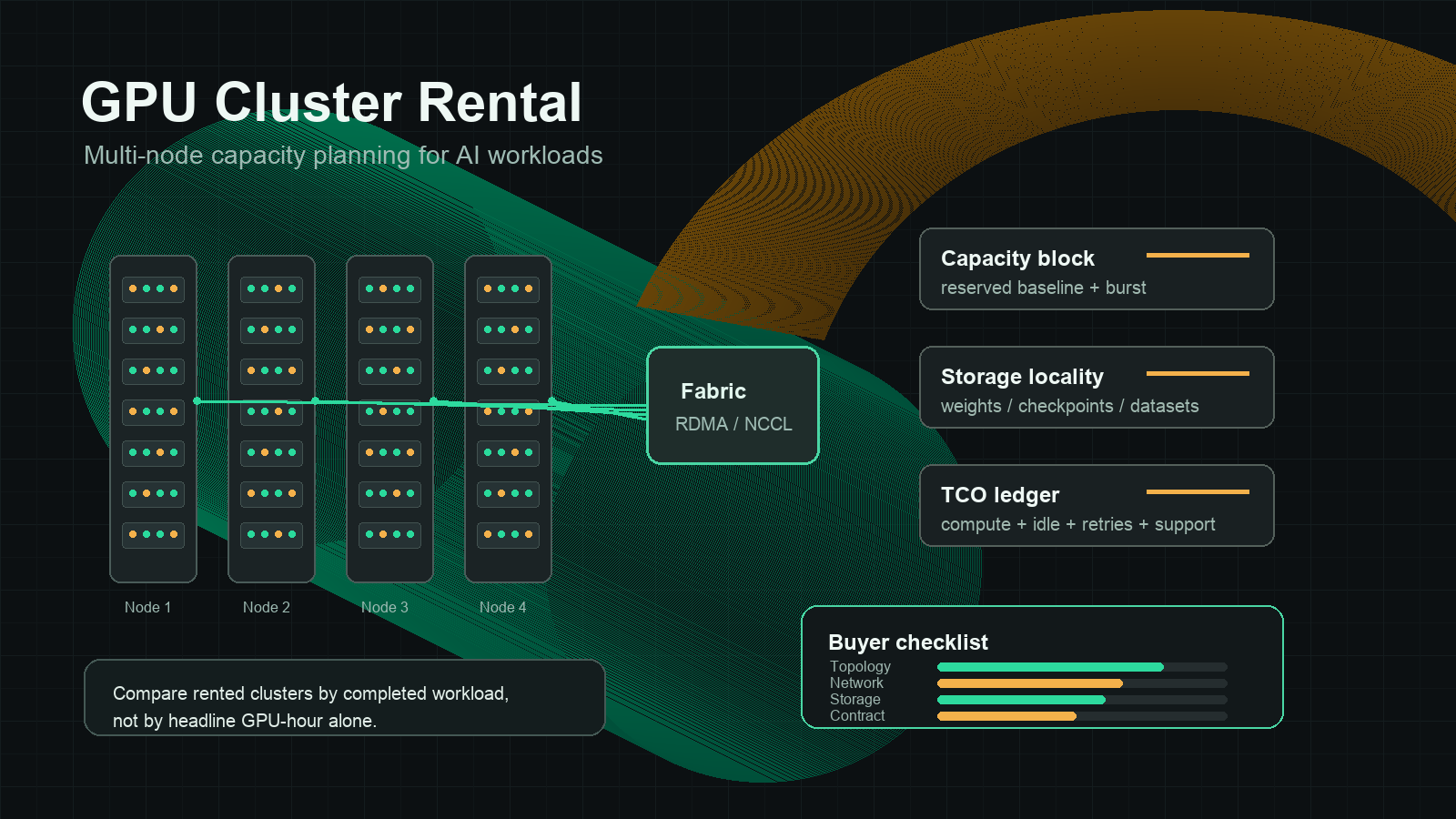
GPU Cluster Rental: A Buyer's Guide to Multi-Node AI Capacity
GPU cluster rental becomes attractive when one GPU, one node, or one provider account is no longer enough. Maybe a training run needs eight to sixty-four GPUs connected with low-latency networking. Maybe inference traffic has a stable baseline and a sharp launch-week burst. Maybe procurement wants guaranteed H100, H200, B200, or L40S capacity without buying hardware, hiring a datacenter team, and waiting through supply-chain lead times.
The hard part is that a "GPU cluster" is not a single product. A quote can mean a hyperscaler reservation, a specialist GPU cloud allocation, a bare-metal cluster, a marketplace fleet, a managed Kubernetes setup, or a private capacity block. The hourly GPU rate is only the first line item.
This guide gives enterprise AI teams a practical way to evaluate gpu cluster rental options, compare gpu cluster rental cloud providers, and decide when to rent, reserve, buy, or use a model API instead.
The quick answer
Use GPU cluster rental when your workload has at least one of these needs:
| Need | Why it points to a cluster |
|---|---|
| Multi-GPU training | The model, batch size, or fine-tuning method needs more memory or throughput than one node can provide. |
| Multi-node inference | You need high baseline capacity, tenant isolation, or predictable queue time for production traffic. |
| Stable utilization | The same GPU class will stay busy enough to justify reserved or dedicated capacity. |
| Network-sensitive jobs | Distributed training, sharded serving, or large embedding/index workloads need known placement and fabric behavior. |
| Procurement control | Finance needs a committed budget, support terms, region, compliance scope, and renewal date. |
Do not choose gpu cluster rental just because a large GPU looks cheaper per hour. Choose it when the completed workload is cheaper or safer after you include network, storage, utilization, restart risk, support, operations, and contract terms.
real cluster cost per useful output =
  (compute + storage + network + idle time + retries + support + engineering overhead)
  / accepted training runs, inference tokens, jobs, images, or customer requests
What counts as GPU cluster rental?
GPU cluster rental can describe several buying motions. Keep them separate during evaluation.
| Rental model | Best fit | Main risk |
|---|---|---|
| Single-node multi-GPU server | Early training, fine-tuning, batch jobs, one-team experiments | Easy to outgrow; networking assumptions do not transfer to multi-node runs. |
| Multi-node on-demand cluster | Short projects, benchmark windows, burst capacity | Availability can change by region and GPU family. |
| Reserved or dedicated cluster | Production inference, planned training calendar, launch windows | Utilization risk if demand changes or a newer GPU class shifts the economics. |
| Marketplace GPU fleet | Experiments, flexible batch jobs, lower-cost opportunistic capacity | Host reliability, data movement, interruption, and support can vary. |
| Managed Kubernetes or Slurm cluster | Platform teams that need repeatable scheduling and governance | You still own workload packaging, observability, cost control, and incident response. |
| Model API or serverless inference | Teams that need outputs, not hardware control | Less control over weights, kernels, placement, and low-level serving stack. |
This is why the query "gpu cluster rental or cloud gpu cluster" usually has a buying-intent split. Some teams need physical capacity they can schedule. Others need reliable AI outputs and should not operate GPUs directly.
Start with the workload, not the provider
Before comparing gpu cluster rental cloud providers, write a one-page capacity brief. A provider quote is only meaningful if every vendor sees the same workload shape.
| Brief field | What to write |
|---|---|
| Workload type | Pretraining, fine-tuning, retrieval embedding, batch inference, online inference, image/video generation, simulation, or research notebooks. |
| Model and framework | Model family, parameter count, precision, quantization, PyTorch/JAX, vLLM, SGLang, TensorRT-LLM, Ray, Kubernetes, Slurm, or another scheduler. |
| GPU target | H100 SXM, H100 PCIe, H200, B200, A100, L40S, RTX 4090, RTX PRO 6000, or a range of acceptable substitutes. |
| Cluster shape | GPUs per node, node count, memory per GPU, CPU/RAM ratio, local NVMe, and whether jobs need one placement group. |
| Network need | Intra-node NVLink/NVSwitch, cross-node InfiniBand or RoCE, target all-reduce bandwidth, and acceptable jitter. |
| Storage path | Dataset size, checkpoint size, model weight cache, object storage location, local scratch, snapshot policy, and retention period. |
| Utilization target | Expected baseline utilization, burst hours, idle tolerance, maintenance windows, and expected queue time. |
| Reliability policy | Checkpoint frequency, retry budget, tolerated eviction risk, support SLA, and incident escalation path. |
| Data and compliance | Region, data residency, privacy, audit, export, and customer isolation requirements. |
| Contract boundary | Term length, minimum spend, capacity guarantee, upgrade path, support scope, and termination terms. |
If you cannot fill this table, do not reserve a cluster yet. Rent short on-demand capacity first, benchmark the workload, and turn the benchmark into a procurement brief.
Provider categories to compare
There are three useful provider categories for gpu cluster rental.
| Category | Examples to evaluate | What they tend to do well | What to verify |
|---|---|---|---|
| Hyperscale clouds | AWS, Google Cloud, Microsoft Azure | Mature identity, regions, compliance, networking products, support, billing controls | GPU availability, quota, reservation mechanics, total cloud bill, data-transfer cost, and operational complexity. |
| Specialist GPU clouds | Lambda, CoreWeave, Crusoe, Runpod Enterprise, regional AI clouds | Faster GPU procurement conversations, AI-native support, simpler GPU pricing, dedicated cluster terms | Network fabric, storage, observability, enterprise controls, support SLA, and renewal/upgrade terms. |
| Marketplaces and flexible fleets | Vast.ai, Runpod community-style capacity, brokered GPU capacity | Lower entry cost and fast experiments | Host reliability, interruption risk, data movement, support depth, compliance, and whether production traffic is appropriate. |
Use official source pages as current checkpoints, not as permanent rate cards. For this article, the claims were checked on October 12, 2026.
| Source | Why it matters in a buyer review |
|---|---|
| AWS EC2 P5 instances and EC2 Capacity Blocks | Check H100 cluster instance shape, EFA/networking language, reservation mechanics, quota, and region availability. |
| Google Cloud accelerator-optimized machines and GPU pricing | Check A3/A4 machine families, GPU pricing structure, storage, committed use discounts, and region notes. |
| Azure ND H100 v5 series | Check Azure's H100 cluster shape, InfiniBand framing, VM sizing, and regional availability. |
| Lambda GPU Cloud | Check published GPU cloud rates, instance types, reserved cloud terms, and availability notes. |
| Runpod pricing and Runpod docs | Separate pods, serverless, secure/community capacity, storage, and network volume assumptions. |
| Vast.ai pricing and Vast.ai docs | Treat each listing as a marketplace offer with its own host, reliability, storage, location, and interruption profile. |
| NVIDIA NCCL tests | Use practical distributed-training benchmarks instead of accepting generic "high-speed network" language. |
| NVIDIA GPU Operator and Slurm GRES | Confirm whether your team or the provider owns GPU scheduling, drivers, telemetry, and allocation policy. |
The multi-node checks that matter
Single-GPU rental is mostly a price, memory, image, and availability decision. Multi-node gpu cluster rental adds topology and operations risk.
1. GPU topology
Ask for the exact node shape and whether the cluster is homogeneous.
- GPU model and memory size.
- PCIe versus SXM where relevant.
- GPUs per node.
- Intra-node NVLink or NVSwitch topology.
- CPU model, RAM, and local NVMe per node.
- MIG, vGPU, or full-GPU allocation policy.
- Whether all nodes are in one placement domain.
Do not accept "8x H100" as a complete spec. An 8x H100 SXM server, an 8x H100 PCIe server, and eight separate H100 nodes can behave very differently.
2. Network fabric
For distributed training, the network can decide whether the cluster is useful. Ask for:
- InfiniBand, RoCE, EFA, GPUDirect, or other fabric details.
- NIC count and speed per node.
- Oversubscription ratio.
- Placement guarantee for the quoted nodes.
- Whether the provider has run NCCL all-reduce tests on that exact pool.
- Maintenance and failure isolation policy.
Put network validation in the acceptance test:
cluster acceptance test:
  run nccl-tests all_reduce across every rented node
  compare bandwidth and latency to provider quote
  repeat after container image, driver, and framework install
  save logs with date, node IDs, GPU model, and region
If the provider cannot support a basic distributed benchmark before contract signature, treat that as a risk signal.
3. Storage and data path
GPU teams often underestimate storage because the GPU quote looks large and the storage line looks ordinary. For multi-node clusters, storage decides startup time, checkpoint time, and failure recovery.
Ask for:
- Local NVMe per node.
- Shared filesystem options.
- Object storage region and egress path.
- Dataset staging time.
- Model weight cache strategy.
- Checkpoint write/read throughput.
- Snapshot and backup pricing.
- Cleanup policy after the rental ends.
Then run a real test: pull the production container, stage the dataset, load weights, write a checkpoint, restore from checkpoint, and measure billable time.
4. Scheduler and access model
The best GPU deal can still fail if your team cannot schedule jobs reliably. Decide who owns:
- Kubernetes or Slurm setup.
- Driver and CUDA version management.
- Container registry and image scanning.
- User access, SSH policy, secrets, and audit logs.
- Quotas by team or project.
- Idle shutdown.
- Cost tags and usage exports.
- Incident escalation.
A provider-managed cluster can reduce setup time, but you still need a clear runbook for bad images, failed jobs, quota disputes, and urgent capacity changes.
GPU cluster rental cloud pricing worksheet
For each provider, normalize the quote into the same worksheet.
| Line item | Question to ask | Why it changes TCO |
|---|---|---|
| GPU compute | What is the billable unit: second, minute, hour, month, or capacity block? | Short jobs and idle time are sensitive to billing granularity. |
| Minimum commitment | Is there a term, minimum spend, or non-cancelable reservation? | A cheap quoted rate can be expensive if utilization drops. |
| Storage | Which storage tiers are included, and which are billed separately? | Datasets, checkpoints, model weights, and snapshots can persist after jobs end. |
| Network | Is cross-region, public egress, private link, or dedicated fabric billed separately? | Large datasets and generated media can move more data than expected. |
| Support | What is the response time, escalation path, and included engineering help? | Cluster incidents are expensive during training windows. |
| Reliability | What happens if one node fails during a multi-node job? | Restart and queue time belong in the cost model. |
| Upgrade path | Can you switch from H100 to H200/B200-class capacity during the term? | GPU generations shift performance-per-dollar. |
| Observability | Do you get per-node utilization, job logs, billing exports, and failure reason codes? | Without usage data, finance cannot explain the bill. |
| Security | Are tenant isolation, audit logs, secrets, and data deletion terms documented? | Enterprise buyers need proof, not verbal assurances. |
Use this formula in the spreadsheet:
monthly cluster TCO =
  committed compute
  + burst compute
  + persistent storage
  + snapshots
  + network egress
  + support
  + idle waste
  + retry waste
  + engineering overhead
Then calculate the useful unit:
cost per useful unit =
  monthly cluster TCO / accepted workload units
The useful unit should match the business outcome: completed fine-tunes, training tokens processed, accepted image batches, inference tokens, customer requests, or experiments shipped.
Rent, reserve, or buy in 2026
The keyword "gpu cluster rental or cloud or buy 2026" gets to the real procurement question. Use the decision table below before a large commitment.
| Option | Prefer it when | Avoid it when |
|---|---|---|
| Rent on demand | Workload is new, schedule is uncertain, or benchmarks are still changing. | You already have stable baseline utilization and urgent availability requirements. |
| Reserve or dedicate capacity | Utilization is predictable, launch dates matter, and the same GPU class will be busy for months. | Model architecture, serving engine, or GPU target is likely to change soon. |
| Buy or colocate | You have very high utilization, stable hardware needs, datacenter expertise, and capital approval. | You need fast scale-up, GPU generation flexibility, managed support, or global regions. |
| Use model APIs | You need model outputs more than hardware control, and operations overhead would dominate the GPU savings. | You need custom weights, low-level kernel control, private serving stack, or fixed hardware placement. |
For many AI product teams, the practical path is staged:
- Rent on-demand GPUs for benchmarks.
- Move stable jobs to reserved or dedicated gpu cluster rental.
- Keep burst and experiment traffic on flexible capacity.
- Use model APIs for workloads where infrastructure control does not improve the product.
- Re-evaluate buy or colocation only after utilization and workload shape are stable.
GPU cluster rental in India
The phrase "gpu cluster rental in india" should not be treated as a separate article unless the buyer has India-specific sourcing, data residency, or latency requirements. Use the same worksheet, then add regional checks:
- Is the cluster physically in India, nearby Asia regions, or only sold to India-based companies?
- Where will training data, checkpoints, and logs reside?
- What are cross-border transfer, tax, invoice, and support-hour requirements?
- Is local support needed during Indian business hours?
- Does latency matter for inference, or is this an offline training workload?
- Are there import, procurement, or compliance constraints if buying hardware instead of renting?
For offline training, a nearby region may be acceptable if data-transfer and compliance are clean. For latency-sensitive inference or regulated data, region and contract terms can matter more than the headline GPU rate.
Red flags in GPU cluster rental quotes
Pause the deal if you see any of these:
- The quote says "H100 cluster" but not PCIe/SXM, node shape, memory, or network.
- The provider cannot describe failure handling for one bad node in a distributed job.
- Storage and egress are missing from the quote.
- Support terms are vague during your most expensive training window.
- "Dedicated" is used without clarifying tenant isolation, placement, and noisy-neighbor risk.
- The quote gives a low monthly rate but no utilization or cancellation terms.
- There is no benchmark window before commitment.
- The provider refuses to share billing export fields or usage data.
- You cannot verify driver/CUDA/framework versions before the first workload.
- The sales deck mentions compliance, but the contract does not define data handling and deletion.
What to benchmark before signing
Run a small acceptance suite before you reserve or scale a rented GPU cluster.
| Test | Pass condition |
|---|---|
| Container pull and startup | Production image starts quickly and reproducibly on every node. |
| GPU health | All GPUs report expected model, memory, driver, and CUDA compatibility. |
| NCCL all-reduce | Cross-node bandwidth and latency match the provider's stated cluster class. |
| Storage stage | Dataset and model weights can be staged within the planned setup window. |
| Checkpoint write/read | Checkpoints complete without making GPU time idle for too long. |
| Failure drill | Kill one worker and confirm restart, checkpoint, and billing behavior. |
| Idle shutdown | Unused nodes stop or alert before waste compounds. |
| Billing export | Usage can be attributed by team, workload, environment, and job. |
| Security review | Access, secrets, logs, data deletion, and audit records match policy. |
Save the benchmark output with the date, provider, region, GPU model, image version, framework version, and node IDs. This turns vendor selection from a rate-card debate into a reproducible engineering review.
Where Flatkey fits
Flatkey is not a replacement for every rented GPU cluster. If you need custom weights, private kernels, multi-node training, or direct hardware control, you still need GPU capacity.
Flatkey matters when the question is whether you need to operate GPUs at all for a given workload. Flatkey gives teams one key, one balance, and one invoice across 300+ official models and 1,000+ pay-per-call tools, with request-level usage visibility. That makes it useful as a comparison path for:
- Prototype workloads before you commit to a cluster.
- Agent and application traffic that can run on official model APIs.
- Finance reviews that need to compare self-hosted GPU cost against model API cost.
- Teams that want a shared ledger for AI usage before deciding what deserves dedicated hardware.
If a workload does not require hardware control, compare gpu cluster rental against an API route on cost per accepted result, not against raw GPU hours. The related guides on GPU rental prices, AI model pricing comparison, how to compare AI model prices, AI gateway pricing, AI API spend management, and AI API quota management are the right next checks.
Buyer checklist
Use this checklist before approving gpu cluster rental:
- Define the workload and useful output unit.
- Benchmark on-demand capacity before reserving.
- Specify GPU model, memory, node shape, local storage, and network fabric.
- Require a distributed benchmark for multi-node training.
- Include storage, egress, support, idle time, and retry waste in TCO.
- Confirm region, compliance, data deletion, and audit requirements.
- Ask how one failed node affects a running job.
- Require usage and billing exports by team, environment, and job.
- Separate baseline reserved capacity from burst capacity.
- Recompare against model APIs when hardware control is not necessary.
The best gpu cluster rental decision is the one that finishes the workload reliably with the least operational surprise. The cheapest GPU hour is only useful if the cluster, storage, network, and contract let your team turn that hour into accepted work.
Questions buyers ask
What is gpu cluster rental?
GPU cluster rental is the practice of renting multiple GPUs, often across one or more connected nodes, for AI training, inference, batch processing, or research. It can be on-demand, reserved, dedicated, marketplace-based, or managed by a cloud provider.
Is gpu cluster rental cheaper than buying GPUs?
It depends on utilization, term length, operations skill, financing, power, datacenter access, support, and how often your target GPU class changes. Renting usually wins for uncertainty and speed. Buying can win only when utilization and hardware needs are stable enough to absorb capital and operations costs.
What should I ask gpu cluster rental cloud providers?
Ask for GPU model, node shape, network fabric, storage, region, quota, support SLA, utilization assumptions, billing exports, data deletion terms, benchmark access, and what happens when one node fails during a distributed job.
Do I need InfiniBand or RoCE for a rented GPU cluster?
You need high-performance cluster networking when jobs communicate heavily across nodes, especially distributed training and sharded serving. You may not need it for embarrassingly parallel batch inference or independent jobs. Benchmark with your own workload before paying for premium fabric.
How should I compare gpu cluster rental in India?
Use the same rental worksheet, then add India-specific questions around region, data residency, tax, invoice requirements, support hours, latency, and cross-border data transfer. Do not compare only the GPU hourly rate.


