
RTX PRO 6000 vs L40S: 96GB Blackwell or Ada Inference GPU?
The short answer for l40s vs rtx pro 6000: choose NVIDIA RTX PRO 6000 Blackwell Server Edition when 96GB of GPU memory, Blackwell FP4 support, PCIe Gen 5, MIG partitioning, and newer media engines can change your serving design. Choose NVIDIA L40S when your workload already fits inside 48GB, your stack is mature on Ada GPUs, and the price or availability gap is large enough to beat the newer card.
This is not a clean "new GPU always wins" decision. The rtx pro 6000 vs l40s comparison is really about memory fit, precision support, software maturity, power budget, and accepted-output cost. If the RTX PRO 6000 lets you use fewer shards, larger context windows, bigger batches, or fewer out-of-memory retries, it can be the stronger inference GPU. If L40S capacity is cheaper, easier to reserve, and already meets your latency target, the older Ada card can still be the pragmatic choice.
Checked on October 13, 2026.
L40S vs RTX PRO 6000: the practical difference
Use this table as the first procurement screen before you ask for provider benchmarks.
| Decision point | NVIDIA RTX PRO 6000 Blackwell Server Edition | NVIDIA L40S |
|---|---|---|
| GPU generation | Blackwell | Ada Lovelace |
| Main buyer reason | More memory, newer Tensor Cores, FP4 path, PCIe Gen 5, workload partitioning | Mature 48GB data-center GPU for inference, rendering, graphics, and video |
| GPU memory | 96GB GDDR7 with ECC | 48GB GDDR6 with ECC |
| Memory bandwidth | 1,597 GB/s | 864 GB/s |
| FP32 | 120 TFLOPS | 91.6 TFLOPS |
| Tensor precision headline | FP4 4 PFLOPS, FP8 2 PFLOPS, FP16/BF16 1 PFLOP | FP8 733 / 1,466 TFLOPS with sparsity, FP16/BF16 362.05 / 733 TFLOPS with sparsity |
| Max power | Up to 600W configurable | 350W |
| PCIe | PCIe Gen 5 | PCIe Gen 4 x16 |
| MIG | Up to four isolated instances on RTX PRO 6000 | No MIG support listed for L40S |
| Best first test | Long-context LLM inference, larger multimodal models, multi-tenant GPU sharing, FP4/Blackwell-optimized serving | 48GB-friendly LLMs, Stable Diffusion-style image generation, rendering, video, mature Ada fleets |
Sources: NVIDIA's RTX PRO 6000 Blackwell Server Edition product page, NVIDIA's L40S product page, and NVIDIA's Blackwell architecture page.
The quick recommendation
Start the l40s vs rtx pro 6000 benchmark with memory, not peak TFLOPS.
- Pick RTX PRO 6000 Blackwell Server Edition when your model is memory-constrained on L40S, when context length or KV cache pressure drives GPU count, when you want to test FP4/Blackwell inference paths, or when isolated GPU slices matter for shared enterprise clusters.
- Pick L40S when your model, batch size, and context window fit comfortably inside 48GB, when your production stack is already tuned for Ada, or when the provider price difference is large enough that the older GPU wins on accepted-output cost.
- Use a model API baseline when you do not need custom weights, CUDA control, private GPU scheduling, or direct media/rendering acceleration. Hardware has to beat the cost and operating simplicity of managed model calls after queueing, retries, idle time, and engineering overhead.
That last point is why the nvidia rtx pro 6000 vs l40s decision should not stop at a spec sheet. A faster card can still be the wrong purchase if utilization is low or the team does not need to own GPU operations.
Why RTX PRO 6000 changes the inference conversation
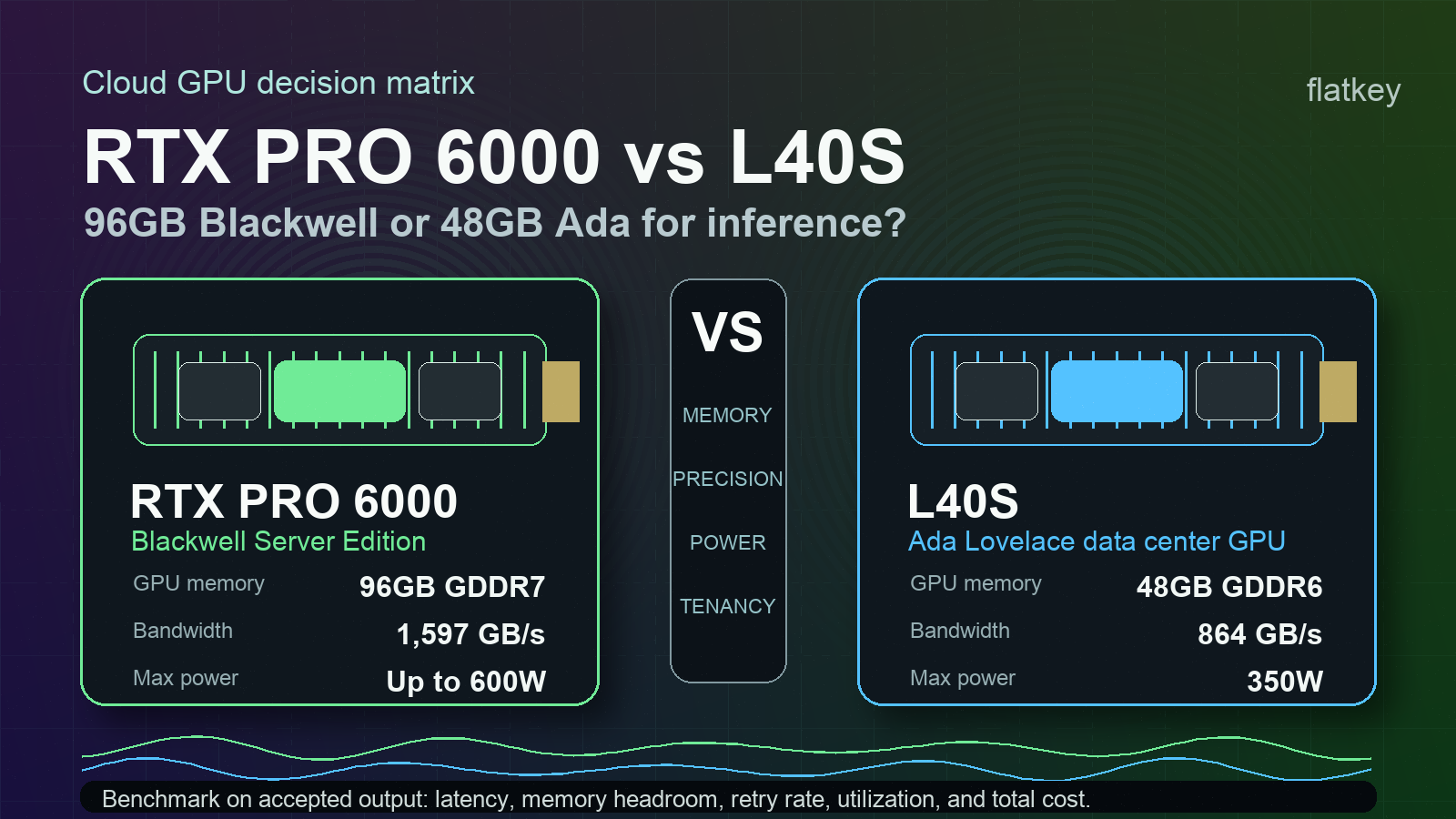
The RTX PRO 6000 Blackwell Server Edition doubles the listed memory capacity versus L40S: 96GB GDDR7 instead of 48GB GDDR6. It also increases listed memory bandwidth from 864 GB/s on L40S to 1,597 GB/s.
For inference teams, memory is not just "model size." It also covers KV cache, batching headroom, runtime buffers, adapters, multimodal inputs, safety margin for long prompts, and tenancy overhead. In a real service, the card that avoids out-of-memory errors or reduces tensor-parallel sharding can beat a cheaper card with lower listed hourly cost.
RTX PRO 6000 is especially worth testing when:
- You serve long-context LLM traffic and KV cache dominates memory planning.
- You want to test 70B-class or larger quantized models with fewer shards.
- You run mixed multimodal workloads where image, video, embedding, reranking, and LLM components compete for memory.
- You need to partition a physical GPU for multiple users or workloads; NVIDIA lists up to four isolated MIG instances for RTX PRO 6000.
- You are evaluating Blackwell-specific serving paths such as FP4/NVFP4, TensorRT-LLM, vLLM, or SGLang improvements.
The power tradeoff is real. NVIDIA lists RTX PRO 6000 at up to 600W configurable, while L40S is 350W. If your provider prices by committed server, power envelope, rack density, or reserved capacity, that higher ceiling belongs in the rtx 6000 pro vs l40s cost model. Do not compare GPU hourly price without asking what power, cooling, host configuration, support, and tenancy are included.
Why L40S is still useful
L40S remains a strong practical GPU because it is a mature Ada data-center card with 48GB ECC memory, 864 GB/s memory bandwidth, 350W max power, and broad production familiarity. NVIDIA positions L40S for generative AI, LLM training and inference, graphics, rendering, Omniverse, and video workloads.
That maturity matters in cloud procurement. A slightly older card can win when:
- Capacity is available now in the exact region you need.
- Provider images, drivers, containers, and monitoring are already stable.
- The workload fits inside 48GB without aggressive sharding.
- Your bottleneck is queue time, data loading, CPU preprocessing, or software scheduling rather than raw Tensor Core peak.
- You are running image generation, rendering, video, or visual-computing jobs that already benchmark well on Ada.
The nvidia l40s vs rtx pro 6000 question often comes down to whether the extra 48GB on RTX PRO 6000 changes deployment shape. If not, L40S can be the lower-risk rental or reserved-capacity option, especially for teams with existing scripts and baselines.
Workload-by-workload decision matrix
Use this matrix before you ask a provider for a quote.
| Workload | Prefer RTX PRO 6000 when... | Prefer L40S when... | What to measure |
|---|---|---|---|
| Long-context LLM inference | 48GB limits context length, batch size, or KV cache headroom | 48GB meets p95 context and concurrency targets | Time to first token, tokens/sec, p95 latency, OOM rate, accepted responses/hour |
| Quantized 70B-class model serving | 96GB reduces sharding, retries, or placement complexity | Your quantized model and KV cache fit on L40S at target concurrency | GPU count per replica, queue delay, quality score, retry rate |
| Multi-tenant inference | MIG isolation and 96GB memory improve utilization | Tenancy is handled at the node or scheduler level | Utilization by tenant, noisy-neighbor incidents, failed jobs |
| Stable Diffusion and image generation | Larger models, batches, or mixed media stages need more memory | Existing pipelines already meet throughput and quality targets | Accepted images/hour, VRAM headroom, cost per accepted image |
| Rendering and 3D graphics | Blackwell RT/media features improve the exact renderer or pipeline | Ada L40S performance is already validated for the renderer | Frame/render time, failed renders, media encode/decode throughput |
| Enterprise refresh | You want a Blackwell-era platform for the next 24 months | You need incremental capacity with known operations | Utilization floor, migration effort, support SLA, capacity availability |
This is the useful way to frame l40s vs rtx 6000 pro: not which product page has the bigger number, but which GPU changes the number of accepted outputs you can ship per dollar.
Benchmark accepted output, not peak specs
A serious l40s vs rtx pro 6000 benchmark should replay your workload instead of relying on generic peaks. Measure the output your users or customers accept.
For LLM inference, collect:
| Metric | Why it matters |
|---|---|
| Time to first token | Captures interactive user latency |
| Inter-token latency | Shows decode behavior under real concurrency |
| Stable concurrency | Exposes whether 48GB or 96GB changes batching |
| Context-length ladder | Finds when KV cache pressure appears |
| OOM and retry rate | Converts memory fit into real cost |
| Accepted responses per hour | Normalizes quality filters, failures, and retries |
| Cost per 1M accepted output tokens | Lets RTX PRO 6000, L40S, and model APIs share one metric |
| Engineering hours per month | Captures driver, kernel, queue, incident, and benchmark labor |
For image, video, rendering, or multimodal workloads, replace accepted tokens with accepted images, accepted clips, rendered frames, or completed jobs. The logic is the same. A card that looks faster on a vendor benchmark can lose if it increases queue contention, creates more failed jobs, or requires a software migration your team cannot maintain.
Provider questions before renting RTX PRO 6000 or L40S
Ask these questions before committing to either GPU:
- Is the RTX PRO 6000 capacity specifically the Blackwell Server Edition, and is it air-cooled dual-slot or liquid-cooled single-slot?
- Is L40S capacity dedicated, fractional, containerized, or part of a managed job service?
- Which driver, CUDA, TensorRT-LLM, vLLM, SGLang, PyTorch, and container versions are supported?
- Does the provider expose MIG on RTX PRO 6000, and how are instances billed?
- Are benchmark runs billed at on-demand rates, reserved rates, or included in an evaluation window?
- What is the region, network fabric, host CPU, storage class, and local NVMe capacity?
- Are failed jobs, idle time, queue time, snapshots, and egress billed separately?
- What support SLA and replacement path apply when a GPU host is unhealthy?
- Can you export per-job GPU utilization, memory use, queue delay, retry rate, and cost?
- What is the fallback path if Blackwell availability, drivers, or kernels lag your launch schedule?
Pair those answers with Flatkey's GPU rental prices guide, GPU cluster TCO worksheet, and GPU cloud vs model API. If you are still deciding the GPU class, read the broader best GPU for LLM inference guide before narrowing to nvidia l40s vs rtx pro 6000.
Where Flatkey fits
Flatkey does not replace RTX PRO 6000 or L40S when you need direct GPU control. If you run private weights, custom kernels, strict data locality, dedicated rendering pipelines, or hardware-level research, you still need cloud GPU capacity or owned infrastructure.
Flatkey is the baseline to beat when your team mostly needs reliable model output. With one key and one balance across official models and AI tools, teams can route API workloads, track usage, compare model cost, and avoid scattered provider accounts. That gives finance and engineering a clean control group before committing to fixed GPU capacity.
In practice, run three paths:
| Path | When it wins |
|---|---|
| RTX PRO 6000 | More memory or Blackwell features reduce GPU count, failures, or latency enough to offset higher cost |
| L40S | 48GB is enough and mature Ada capacity has the best accepted-output price |
| Managed model API through Flatkey | Direct GPU control is unnecessary and operational simplicity beats infrastructure ownership |
The right winner is the path with the lowest cost per accepted output at your quality and latency target.
Final recommendation
For l40s vs rtx pro 6000, make RTX PRO 6000 your first benchmark when memory headroom, FP4/Blackwell support, PCIe Gen 5, or MIG partitioning can change the serving architecture. Make L40S your first benchmark when the workload already fits inside 48GB and mature Ada capacity is cheaper or easier to reserve.
Then compare both against a model/API baseline. If Flatkey or another managed API route meets quality, latency, privacy, and cost requirements, GPU rental must justify its extra operations work. If it cannot, the hardware path is justified, and the final choice becomes a workload replay: rtx pro 6000 vs l40s on accepted output, not marketing peaks.
FAQ
Is RTX PRO 6000 Blackwell faster than L40S?
On NVIDIA's public specs, RTX PRO 6000 Blackwell Server Edition has higher listed FP32 performance, more memory, more memory bandwidth, newer Tensor Cores, and FP4 support. That does not mean it is cheaper for every workload. Benchmark your exact serving stack and accepted-output cost.
Is L40S still good for LLM inference?
Yes, when the model, context window, and concurrency target fit inside 48GB. L40S can still be practical for LLM inference, image generation, rendering, video, and mixed visual-computing workloads, especially where provider capacity is mature.
What is the biggest NVIDIA RTX PRO 6000 vs L40S difference?
The biggest practical difference is memory. RTX PRO 6000 Blackwell Server Edition lists 96GB GDDR7 and 1,597 GB/s memory bandwidth; L40S lists 48GB GDDR6 and 864 GB/s memory bandwidth. RTX PRO 6000 also adds a Blackwell FP4 path and MIG support.
Should I upgrade from L40S to RTX PRO 6000?
Upgrade when L40S memory limits are creating extra shards, smaller batches, shorter context windows, failed jobs, or low utilization. Stay on L40S when it already meets your latency and quality targets at a lower accepted-output cost.
Should I use a model API instead of renting either GPU?
Use a model API when you do not need custom weights, direct CUDA control, private GPU scheduling, or rendering/media acceleration. A model API can be the better economic path when workload demand is volatile or GPU utilization would be low.
Sources checked
- NVIDIA RTX PRO 6000 Blackwell Server Edition product page
- NVIDIA L40S product page
- NVIDIA Blackwell architecture page
- Flatkey Cloud GPU topic map and Cloud GPU keyword source dated 2026-10-10
- Flatkey product overview and approved positioning: one key, one balance, official models, pay-per-successful-call usage ledger


